Browse categories
Explore
Fiverr Pro
English
$
USD
strategic decision maker and performance optimizer
With the experience in data cleaning and preparation, I help businesses transform raw data into clean, structured, and insightful information using Microsoft Excel.
I can do cleaning using Excel and CSV files by utalising Excel formulas and basic statistical techniques to remove duplicates, correct errors, handle missing values, and format data for clarity and consistency. My goal is to ensure your data is accurate, easy to understand, and ready for analysis.
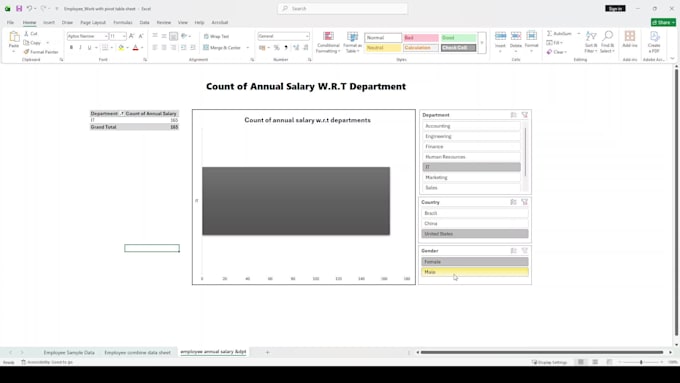
In addition to data cleaning, I can analyse your data using Pivot Tables to create insightful visualizations and dashboards. These dashboards provide a clear and complete view of business performance, helping you identify trends, patterns, and key insights for better decision-making.
I am committed to delivering high-quality, reliable results, maintaining data confidentiality, and meeting deadlines. Whether you are working with sales data, business reports, or large spreadsheets, I ensure your data is presented in a professional and meaningful way.


I have a massive, messy Excel sheet with duplicates and missing info. Can you fix it before analysing it?
Absolutely! Data cleaning is the most critical step before any analysis. I will remove duplicates, handle missing or blank cells, fix formatting errors (like incorrect dates or text mixed with numbers), and organize your data into a clean, structured layout ready for analysis.
What exactly can a Pivot Table do for my business data?
Pivot Tables are magic for summarizing large datasets. If you have thousands of rows of sales data, a Pivot Table can instantly show you your top-selling products, best-performing months, or highest-earning regions with just a few clicks. It turns a wall of numbers into actionable business insights.
Can you create an interactive dashboard so I can filter the data myself
Yes! I can build a dynamic Excel dashboard using Pivot Tables, advanced charts, and Slicers/Timelines. This allows you to click a single button to filter the entire dashboard by date, region, manager, or product category without needing to know complex Excel formulas.
My data is confidential. How do you handle data privacy?
I take data privacy very seriously. Your data will only be used to fulfill your project requirements and will never be shared with third parties. Once the project is completed and approved, I can permanently delete the files from my system upon request. If required, I am open to signing a Non-Disclo
What formulas do you typically use for data analysis?
Yes, I can consolidate data from multiple sources. Whether you have monthly sales reports in separate sheets or external CSV extracts from CRM/E-commerce platforms, I can merge them seamlessly using Excel tools like Power Query to create a single, unified analysis.
What do I need to provide to get started?
Please provide your raw data file (Excel, CSV, or Google Sheets) along with a brief note explaining what you want to achieve. For example: "I want to see my profit margins per region," or "Please clean the duplicate emails from this list." If you have a specific design or layout in mind, feel free t