Browse categories
Explore
Fiverr Pro
English
$
USD

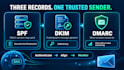


Your emails are landing in spam because the receiving server cannot verify you sent them. SPF, DKIM and DMARC are how you prove it. Set up wrong, or not at all, and Gmail quietly files you under junk.
WHAT I DO
Audit your current DNS and find what is actually broken
Configure SPF correctly, staying under the 10 lookup limit
Set up DKIM at 2048-bit, not the weak default
Deploy DMARC safely: p=none first, so nothing breaks while we watch
Verify with a live send test and send you the report
WHAT YOU GET
A one-page before and after with the actual test results. Not "it's done" but proof it's done.
WHO THIS IS FOR
Shopify and WooCommerce stores whose order confirmations go to spam. Anyone who just moved to Google Workspace or Microsoft 365. Anyone who got a DMARC warning from a client.
I need DNS access (Cloudflare, GoDaddy, Namecheap, whatever you use) or someone who can paste records for me. No access to your inbox is needed, ever.
Not sure what you need? Message me your domain, I'll check it free and tell you.
Please be aware that it is against Fiverr's policies for sellers to include themes, templates, or any other elements that infringe third-party rights or applicable laws in the delivered work. Read more about in our Guide to Responsible Digital Creation.
Website Security Fixes not just scans
Languages
Will this break my current email?
No. DMARC goes in at p=none first, which monitors without blocking anything. We only tighten it once the reports come back clean.
Do you need my email password?
Never. DNS access only. I will not ask for a mailbox password, and you should not hand one to anybody on this platform.
I use Google Workspace, Microsoft 365 or Zoho.
All fine, plus any sending service on top: Klaviyo, Mailchimp, Shopify, Resend. Every sender you use goes into the SPF record.


