Browse categories
English
$
USD
Connect to your AI
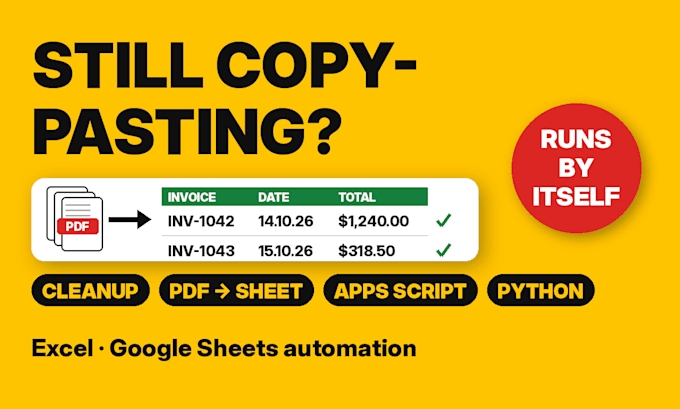
Still retyping invoices or bank statements into a spreadsheet? Typing it in fixes this month. A script fixes every month: it fills the sheet each time a new PDF arrives.
WHAT YOU GET
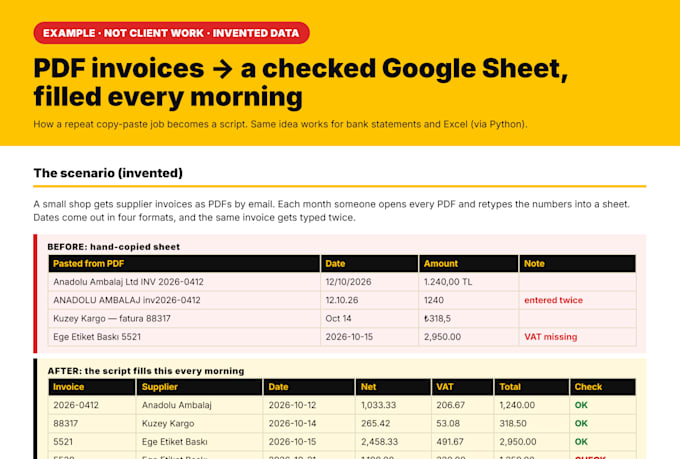
A Google Apps Script (or Python script for Excel) that reads your PDFs and fills a clean sheet: date, number, supplier, net, tax, total
Duplicates skipped, so nothing is entered twice
A check column that marks any row where the numbers don't add up, so a script error gets flagged instead of slipping through
Runs on a schedule or with one click, inside your own account
Commented code and a plain-English HOW-TO tab
HOW IT WORKS
1. Send 2-3 sample PDFs (fake or blurred data is fine)
2. I test them and confirm what can be read before you pay for more
3. You get the working sheet, the script and a test log
Text-based PDFs work best. Scanned PDFs go through OCR; I test a sample first and tell you how reliable it is.

Technology:
Excel
•
Google Sheets
•
Python
•
Zapier
•
PowerShell
Can you read scanned PDFs or photos?
Most of the time. Text-based PDFs are read directly. Scanned ones go through OCR, which can misread numbers, so I test your sample first and tell you how reliable it is before you order. Rows that fail the totals check get flagged.
Do I need to keep my computer on?
Not for Google Sheets: the script runs on Google's servers on a timer. For Excel I deliver a Python script you run with one double-click, or we keep the data in Sheets.
Is my data safe?
Send copies with fake or blurred numbers if you prefer. The script runs in your own Google account, I don't need your password, and I delete your files after the order is complete.
What if my supplier changes their invoice layout?
The check column will start flagging rows, so you'll notice. A new layout is a small fix: order the Extra PDF layout add-on or message me.