Browse categories
Explore
Fiverr Pro
English
$
USD


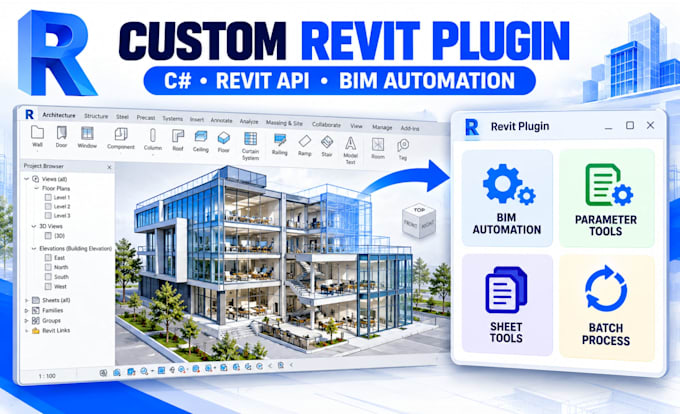
Get a custom Autodesk Revit plugin or BIM automation tool built around the workflow you actually need to automate.
If your team is still manually renaming sheets, updating parameters, placing elements, checking models, exporting files, generating documentation, or repeating the same Revit operations across projects, those hours quickly become expensive.
With practical development experience across Revit API, C#, .NET, BIM workflows, Revit add-ins, Dynamo, Dynamo scripts, Revit families, model data, and Autodesk Revit automation. The goal is creating a reliable tool that reduces repetitive work, minimizes human error, standardizes BIM processes, and gives your team a faster workflow inside Revit.
What You Can Get
Note: Message Before Placing Your Order!
Computer Vision Engineer YOLO, Object Tracking, AI, and LIDAR Developer
Languages
1. What do you need from me before starting?
Share your Revit version, current manual process, expected automated result, sample project file where possible, and examples of the inputs and outputs. Existing Dynamo scripts, screenshots, spreadsheets, videos, or workflow documentation can also help define the requirements accurately.
2. How long does a Revit plugin or BIM automation project take?
A small Revit API command or Dynamo script can often be completed within a few days. Multi-feature add-ins, custom interfaces, complex BIM automation, external integrations, and commercial tools may require additional development and testing time. The requirements should be reviewed before ordering
3. Are revisions included?
Yes. Each package includes revisions for adjustments within the originally agreed scope. New features or major workflow changes outside the initial requirements can be handled through a custom order.
4. What technologies can be used for my project?
Depending on the requirements, development can use Autodesk Revit API, C#, .NET, Visual Studio, WPF, Dynamo, Dynamo API, Revit Families, Excel integration, JSON, REST APIs, and BIM data processing tools.
5. Can you build a completely custom Revit add-in?
Yes. Custom orders can cover multi-feature Revit plugins, company-specific BIM automation, model checking tools, parameter management, batch processing, custom ribbon interfaces, family automation, Excel integration, data extraction, documentation automation, and existing add-in improvements.