Browse categories
Explore
Fiverr Pro
English
$
USD

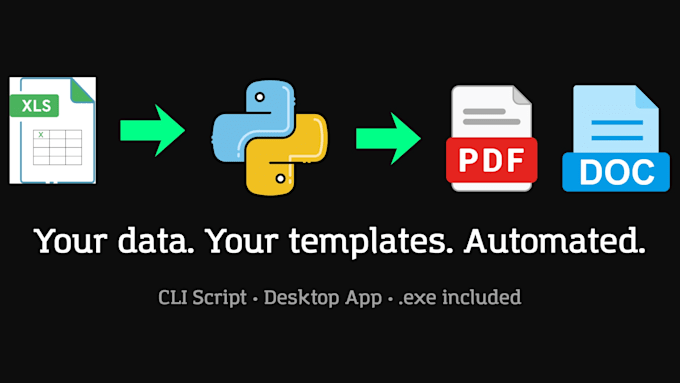
Do you have a repetitive document process eating up hours every week?
I'll build you a Python automation tool that reads your Excel data
and fills your Word or PDF templates automatically generating
hundreds of documents in seconds.
WHY WORK WITH ME?
Clean Architecture: modular, readable code you can actually maintain
External config file: change settings without touching the code
Per-row error handling: one bad row won't stop the whole process
Clear README included so your team knows exactly how to use it
HOW DELIVERY WORKS
Basic: Python CLI script + source code + config file + README
Standard & Premium: compiled Windows .exe no Python needed
All tiers delivered via zip or GitHub, your choice
WHAT YOU'LL NEED TO PROVIDE
Your Excel/CSV file (or a sample with the same structure)
Your template(s) in Word (.docx) or PDF format
A list of which columns map to which fields in the template
TECH STACK
Python · python-docx · ReportLab · pandas · CustomTkinter · PyInstaller
Contact me before ordering to confirm your requirements
fit the selected package.
Soluciones de programacion claras y eficientes para tu negocio
Languages
What exactly is a "template"?
It's your existing document — invoice, contract, report — with placeholders like {{name}} or {{amount}} where variable data goes. I'll help you set those up if needed.
Do I need to know Python to use the delivered tool?
For Basic, yes — you'll need Python installed. Standard and Premium deliver a compiled .exe that runs on any Windows PC with no installation required.
Can I edit the script after delivery?
Yes. The code follows Clean Architecture principles — it's split into clear modules (reader, mapper, generator) so any developer can understand and modify it easily.
What if my Excel columns change in the future?
That's what the config.yaml is for. You update the column names in one file — no code changes needed.
