Browse categories
Explore
Fiverr Pro
English
$
USD

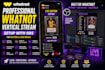
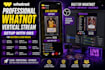
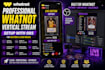
Professional Whatnot Vertical Stream Setup with OBS
Want your Whatnot live stream to look professional, organized, and easy to manage?
I will set up a clean and professional vertical OBS stream designed for Whatnot auctions, sports card breaks, Pokémon, TCG, and collectible live sales.
Whether you're starting your first stream or your current setup needs improvement, Ill help configure your OBS scenes, camera, microphone, overlays, audio, and other essential elements for a smooth streaming experience.
What I Can Set Up
Perfect For
Why Choose My Service?
I focus on creating a setup that is clean, reliable, easy to use, and tailored to your specific stream.
Please inform the freelancer of any preferences or concerns regarding the use of AI tools in the completion and/or delivery of your order.
Whatnot OBS Expert
Languages
Do you also design custom overlays?
Yes! If you don’t have your own graphics, I can create custom Whatnot overlays, scoreboards, break boards, and other stream graphics as an additional service.
Do I need OBS Studio installed before ordering?
Yes. Please have OBS Studio installed before the setup session. If you need help installing or configuring it, I can guide you through the process.
What do you need to get started?
I’ll need your OBS version, Whatnot setup details, logo/branding, existing overlays or graphics, and any specific requirements you want included. For remote setup, we can use AnyDesk or TeamViewer.
Can you install my custom overlays and graphics?
Absolutely! I can integrate your existing overlays, scoreboards, card break boards, face-cam frames, alerts, logos, and other branding into your OBS scenes.
Can you set up my camera and microphone?
Yes. I can configure your camera, microphone, audio sources, and other essential OBS settings for your streaming setup.
Can you set up scenes for auctions and card breaks?
Yes! I can create and organize scenes for auctions, sports card breaks, Pokémon/TCG streams, giveaways, product showcases, and other live-selling formats.
Will my stream be ready to go live after the setup?
I’ll configure and test the OBS setup based on the information and equipment you provide, so you can have a clear, organized setup ready for your live stream. Actual Whatnot approval or platform-side issues are outside the scope of the OBS setup.


