Browse categories
English
$
USD
Connect to your AI
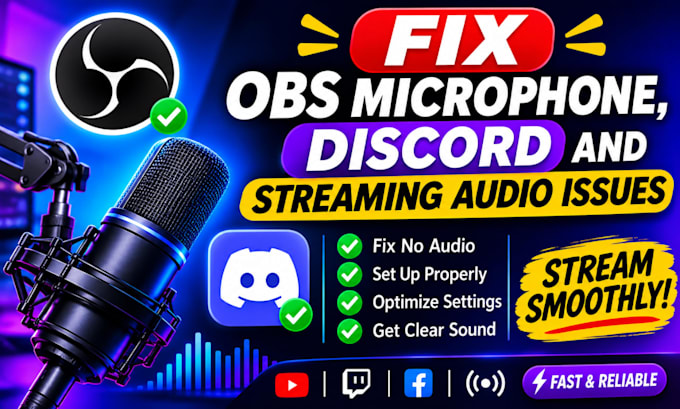
OBS Studio Expert, Live Streaming Setup and Audio Optimization Specialist
Having microphone problems, Discord audio issues or unclear sound while streaming?
I will fix and optimize your OBS Studio audio setup to help you achieve clear, balanced and professional sound for streaming, gaming and content creation.
MY SERVICES INCLUDE:
PLATFORMS SUPPORTED:
WHY CHOOSE ME?
Whether you're a gamer, streamer, podcaster or content creator, I can help improve your audio setup.
MESSAGE ME BEFORE ORDERING if you have complex audio routing problems or special requirements.
Let's make your stream sound better
Software:
OBS Studio
Platform:
•
Twitch
•
YouTube
•
DLive
•
Disco Melee
Purpose:
Gaming
•
Music
•
Lifestyle
•
Business
•
Streamshare
1. What audio problems can you fix?
I can help fix microphone issues, low audio volume, background noise, echo, audio delays, Discord audio problems and OBS audio configuration issues.
2. Can you set up my microphone in OBS Studio?
Yes I can configure your microphone, adjust audio levels and apply suitable filters such as noise suppression, noise gate and compressor.
3. Can you fix Discord audio problems?
Yes I can help configure Discord input and output devices, troubleshoot microphone problems and improve audio routing between Discord and OBS.
4. Can you remove background noise from my microphone?
Yes I can configure available OBS audio filters to reduce unwanted background noise and improve microphone clarity.
5. Can you fix audio delay or echo in OBS?
Yes I can troubleshoot audio synchronization, echo and delay issues and adjust the appropriate settings.
6. Do I need to have OBS Studio installed before ordering?
It is helpful to have OBS Studio installed, but please contact me first if you need assistance with installation or initial configuration.
7. Will my audio work perfectly after setup?
I will test the available audio settings and make the necessary adjustments. However, the final sound quality also depends on your microphone, computer, software and recording environment.