Browse categories
Explore
Fiverr Pro
English
$
USD
Excel Dashboards KPI Reports Google Sheets Apps Script Canva Branding
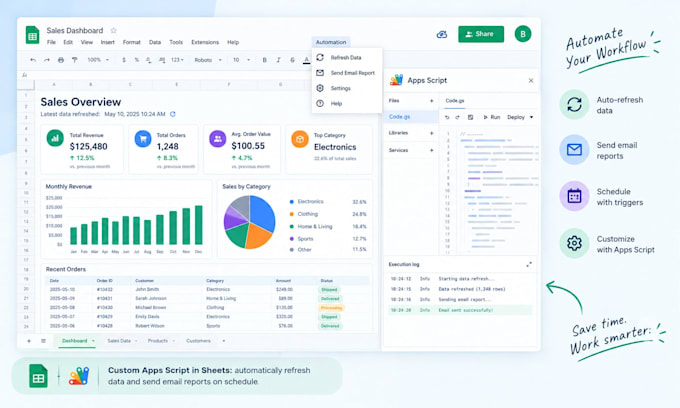
Struggling with unwieldy data? Tired of spending hours manually updating spreadsheets and trying to make sense of numbers? You need a reliable data solution that saves time and gives clarity from the start. I build automated Excel and Google Sheets reports so your data works for you not the other way around.
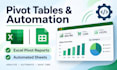
I'm Boudewijn Verhoeff, an Excel/Sheets specialist with a passion for turning raw data into actionable insights. I create dynamic pivot tables and summary dashboards that reveal key trends, and I automate your workflows using advanced formulas and Google Apps Script.
What I Offer:
Ready to save time and get clear answers from your data? Choose a package above and send your project details. Have a special scenario (e.g. unusual data, API integration, etc.)?
Message me before ordering.

Technology:
Excel
•
Google Sheets
What do I get with each package?
Each package specifies its deliverables (pivot tables, charts, scripts, etc.). After ordering, I will ask for your data and goals, then deliver editable Excel or Google Sheets files. Revisions cover adjustments within the original scope (added fields, formatting changes, etc.).
Can you work with my data format?
Yes. I accept Excel workbooks, CSV files, or Google Sheets. Just share the file or a link. I can import or clean data as needed (e.g. text-to-columns, date formats) and then build pivot tables/reports on that data.
Will the pivot tables update automatically when new data is added?
Pivot tables in Excel/Sheets can be refreshed manually (click “Refresh”). For Google Sheets, I can add an Apps Script trigger (on-open or time-based) so your pivot updates automatically. Let me know if you want auto-refresh or email alerts when data changes.
Do I need a paid account (Google Sheets Pro/Excel 365)?
No. All work is done with standard Excel or Google Sheets features. Apps Script is free in any Google account. I’ll avoid paid-only add-ons, so you can edit without extra cost.
Can you use my existing branding and style?
Absolutely. Share your brand colors, fonts, or an existing template. I’ll apply the same style to charts and tables to keep your reports on‑brand and consistent.
What counts as one revision?
A revision covers reasonable tweaks within the original brief (e.g. adding one more column to the pivot, changing a chart type, adjusting labels). A completely new pivot layout or extra feature beyond the package scope would be an additional order.
How will I own the final work?
You’ll receive the final spreadsheet files and retain full rights to use the data and design. I only use licensed or free assets in the work, so there’s no intellectual‑property issue. Let me know if you need a formal NDA or special terms before we start.