Browse categories
Explore
Fiverr Pro
English
$
USD
OBS Studio Setup for Smooth Reliable Live Streams
Using a gaming PC and a separate streaming PC?
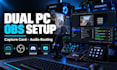
I will set up and optimize your dual PC streaming workflow with OBS Studio, capture card, audio routing and device configuration.
I can connect your gaming PC to your streaming PC, configure Elgato or other capture cards, set the correct resolution and refresh rate, route your microphone, game, Discord and music, and make sure your stream receives the right audio without echo or duplication.
I can also troubleshoot black screens, no capture card audio, sync delay, distorted sound, dropped frames, poor quality, monitoring problems and incorrect OBS settings.
This service can include:
Your setup will be built around your AV equipment so it is stable, easy to control and ready for streaming.
Message me before ordering if you use advanced audio gear or multiple capture devices.

Software:
OBS Studio
Platform:
•
Twitch
•
YouTube
•
Mixer
•
DLive
•
Smashcast
•
Kick
•
Other
Purpose:
Gaming
•
Music
•
Lifestyle
•
Business
•
Streamshare
•
Webinar
1. Can you fix capture card video or audio problems?
Yes. I can troubleshoot black screens, no audio, incorrect resolution, refresh rate problems, audio delay, duplicated sound and other common capture card issues.
2. Can you set up my complete dual PC streaming system?
Yes. I can configure the connection between your gaming PC and streaming PC, set up OBS Studio, configure your capture card, route audio and test the workflow before you start streaming.
3. Can you separate game, Discord, music and microphone audio?
Yes. I can route your main audio sources separately so you have better control inside OBS. I can also configure separate stream and VOD tracks when your setup supports it.
4. Do you work with Elgato capture cards?
Yes. I can configure Elgato devices such as the 4K X, 4K60 Pro, 4K Pro and similar capture cards, as well as compatible capture devices from other brands.
5. Can you set up GoXLR, RØDECaster or Wave Link?
Yes. I can configure supported GoXLR, RØDECaster and Elgato Wave Link workflows for microphones, Discord, game audio, music, monitoring and OBS routing.
6. Can you configure my Stream Deck too?
Yes. With the appropriate package I can configure Stream Deck buttons for scene switching, mute controls, audio actions and other useful OBS functions to make your dual PC workflow easier to control.
