Browse categories
Explore
Fiverr Pro
English
$
USD
Whatnot OBS Streaming Setup Specialist
Stop struggling with complicated dual PC connections, missing audio, capture card problems, lag, or OBS settings.
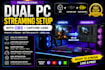
I will configure and optimize your OBS streaming system so your gaming PC, streaming PC, capture card, microphone and audio sources work together correctly.
I can help with:
Every setup is configured around your actual hardware rather than using one generic OBS configuration.
Whether you're building your first dual PC stream or fixing an existing setup, I'll make sure the complete workflow is organized, tested and ready to use.
Message me with your PC, capture card and audio equipment before ordering an advanced setup.
Software:
OBS Studio
Purpose:
Gaming
•
Music
•
Lifestyle
•
Business
•
News
•
Streamshare
•
Webinar
Can you setup my complete dual PC streaming system?
Yes. I can configure the gaming PC, streaming PC, capture card, OBS and required audio routing.
Can you configure my Elgato capture card?
Yes. I can configure compatible Elgato and other capture devices and troubleshoot video/audio problems.
Can you separate Discord, game, music and microphone audio?
Yes. Advanced audio routing can be configured depending on your hardware and package.
Do you work with GoXLR, Wave Link or Voicemeeter?
Yes. These can be integrated into the streaming workflow when required.
Can you setup Stream Deck controls?
Yes. Stream Deck integration is available with the advanced package or as an extra.
Can you fix lag or dropped frames?
Yes. I can inspect OBS output, encoder, resolution, FPS, bitrate and system configuration to identify and reduce performance problems.


