Browse categories
Explore
Fiverr Pro
English
$
USD

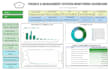
Data Dashboard in 48 Hours from Google Sheets to Looker Studio
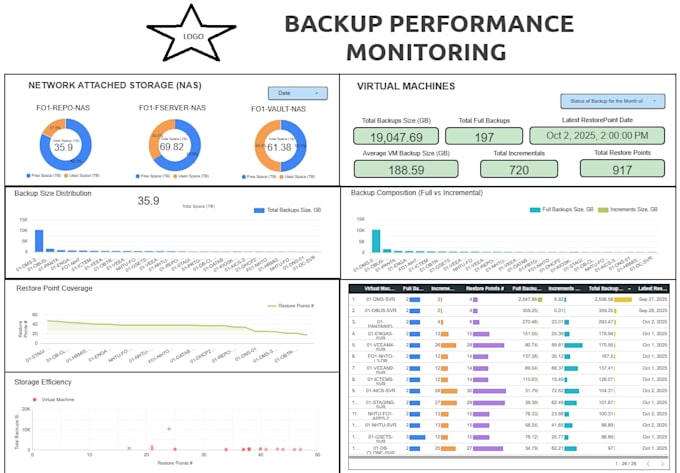
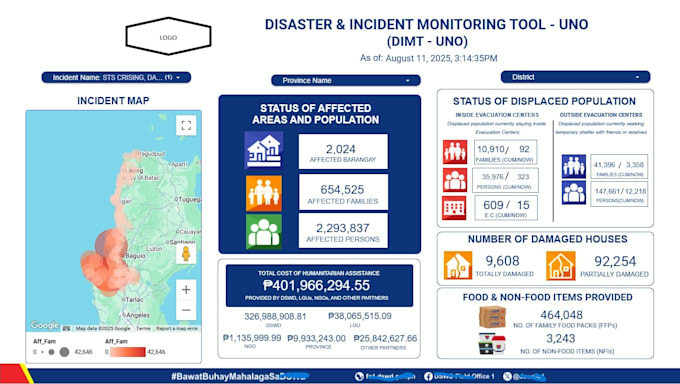
Ill transform your messy Google Sheet data into a fully automated and interactive Looker Studio dashboard within 48 hours ready to present to your clients, boss, or investors.
My Leverage:
My Deliverables:
Languages
Q1: What do I need to provide before you start the project?
You only need to share your Google Sheet (with viewing or editing access), describe the metrics or KPIs you want to track, and tell me your preferred visualization style or color theme. I’ll handle everything else — from data preparation to dashboard creation.
Q2: Can you connect my Looker Studio dashboard to live data?
Yes! I can link your dashboard directly to your Google Sheets, so every time you update your data, the dashboard automatically refreshes. Optional automation via Apps Script is also available.
Q3: What types of dashboards can you build?
I can create dashboards for sales, marketing performance (Google Ads, Facebook, GA4), HR, finance, operations, or custom data reporting — fully tailored to your business needs.
Q4: How secure is my data?
Your data privacy is my top priority. I only access what’s necessary for dashboard creation and can sign an NDA if required. All work stays within your Google Drive environment.
Q5: Do you offer dashboard customization or branding?
Absolutely. I can apply your company’s color palette, logo, and visual theme using Photoshop-enhanced design elements, ensuring your dashboard looks professional and on-brand.
Q6: What if my data is messy or incomplete?
No problem! I can clean and structure your data inside Google Sheets — fixing formatting, merging tabs, and adding calculated KPIs — so your dashboard works flawlessly.
Q7: Can I request changes after delivery?
Yes! Each package includes one free round of revisions to ensure you’re fully satisfied. Additional revisions can be added if needed.
Q8: I don’t have Google Sheets yet — can you help me set it up?
Of course. I can create a new Google Sheet template for your business, ready to collect and track your data seamlessly.
Q9: Do I need SQL knowledge to use the dashboard?
Not at all. While I use SQL-style logic and formulas behind the scenes for clean data flow, your final dashboard is completely user-friendly and code-free.
Q10: Can you train my team to use or update the dashboard?
Yes! I offer an optional 30-minute walkthrough session where I guide you or your team on how to update data, adjust filters, and interpret KPIs.