Browse categories
English
$
USD
Connect to your AI
Email Marketing and Deliverability Klaviyo Setup, Migrations, DMARC
If you need to migrate email to Google Workspace, switching should not mean lost emails or broken forwarding. I move your mailboxes from Outlook, Microsoft 365, Rackspace or Gmail into Google Workspace with your email history, folders and contacts intact.
DELIVERABLES: Every selected mailbox migrated with full email history and folder structure. Calendars and contacts moved with the mail. Google Groups and aliases mapped where your package includes them. A short summary of what moved.
CAPABILITIES:
PROCESS:
SCOPE: the migration work listed in your chosen package.
Message me let dIscuss about your requirement
Email Provider:
Gmail
•
Microsoft Outlook
•
Outlook
•
Zoho
•
Hubspot
Expertise:
Security
•
Spam
•
IMAP
•
Configuration
•
Migration
Will my email history, folders, and attachments move over?
Yes, for each mailbox in your package. Your full email history, folder structure, and attachments are migrated together. I test one sample mailbox first, so you can confirm the results before the full run.
I use Outlook, Microsoft 365, or Rackspace. What do you need from me?
For Microsoft 365 and Outlook, I need admin access or a migration account that can read the mailboxes. For Rackspace, I need IMAP access to each mailbox. In both cases I will confirm the source setup before any migration begins.
Will my team lose emails or have downtime during the switch?
Emails are migrated in batches, and the mailboxes stay accessible during the move. The switch itself is the MX record change, which you approve.
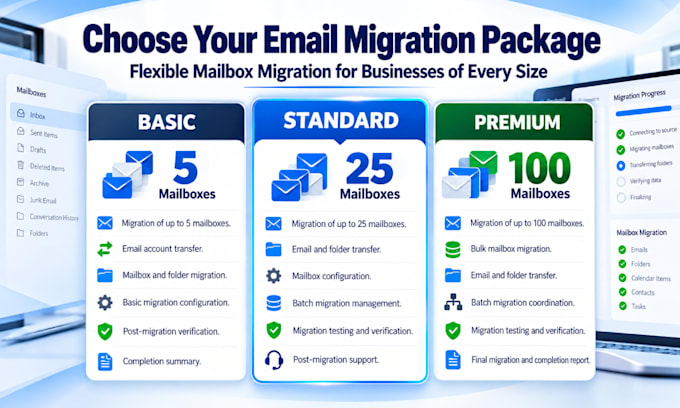
How do I choose between Starter, Business, and Enterprise?
Choose by the number of mailboxes you need to move. If you have more than 100 mailboxes, message me before ordering. Groups are included in Business and Enterprise. Starter covers calendars, contacts, and IMAP-based migration for smaller teams.