Browse categories
Explore
Fiverr Pro
English
$
USD

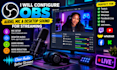
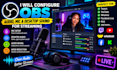
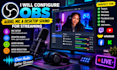
Having audio problems in OBS? I can help you get your stream sound working properly.
I will configure and optimize your OBS Studio audio settings so your microphone, desktop audio, game sound, music, and other audio sources work correctly during your livestream.
What I can help with:
I can also troubleshoot common OBS audio problems such as echo, low microphone volume, distorted sound, double audio, and desktop audio not being captured.
Let's get your OBS audio sounding clean and professional.
Please inform the freelancer of any preferences or concerns regarding the use of AI tools in the completion and/or delivery of your order.
obs expert
Languages
What audio problems can you configure in OBS?
I can configure microphone input, desktop audio, monitoring, audio sources, volume levels, and common audio routing issues.
Can you set up my microphone in OBS?
Yes. I can configure your microphone correctly and help ensure your voice is clear and balanced during your stream.
Can you configure desktop audio?
Yes. I can set up desktop/system audio so your viewers can hear your computer sound properly.
Can you separate my microphone and desktop audio?
Yes. I can configure separate audio sources and tracks so your microphone and desktop audio are properly controlled.
Can you reduce microphone background noise?
Yes. I can configure suitable OBS filters such as noise suppression, compressor, limiter, and noise gate when appropriate.


