Browse categories
Explore
Fiverr Pro
English
$
USD



Want to automate your data processing using the power of Google's Gemini AI but don't know how to connect it?
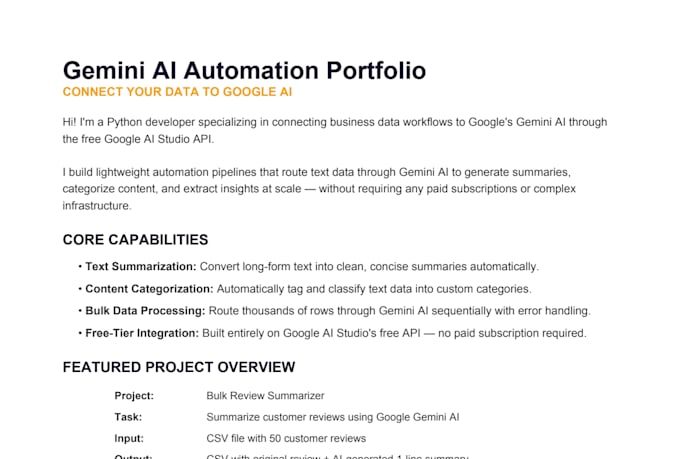
I will build you a clean Python script that routes your text or data through Google AI Studio's Gemini API to automatically generate summaries, categorize content, extract insights, or answer questions at scale.
What I can build:
- Text summarization pipelines (articles, reports, emails)
- Automated content categorization and tagging
- Bulk data labeling and classification scripts
- Question answering systems from custom text input
- AI-powered response generators for structured data
What you get:
- Clean, commented Python script with a full setup guide
- Working output delivered as a CSV, Excel, or text file
- Free Google AI Studio API (no paid subscription needed)
Premium upgrade: Bulk spreadsheet pipeline that streams thousands of rows from Excel through Gemini AI sequentially and saves all responses back into an organized output file automatically.
NOTE:
Uses Google AI Studio free tier API, no paid subscription required for most use cases.
Describe your data and goal before ordering, I'll confirm the best approach for free.
Clean, professional freelance services for the digital age
Languages
Q: Do I need to pay for the Google AI API?
A: No. Google AI Studio offers a generous free tier that covers most use cases. I'll include a simple guide to get your free API key in under 5 minutes.
Q: What kind of data can this process?
A: Any text-based data like emails, product descriptions, customer reviews, articles, reports, survey responses, or any CSV column containing text.
Q: Do I need coding knowledge to use the script?
A: No. I'll provide a step-by-step guide to run it. You only need Python installed on your machine.
Q: What is the bulk spreadsheet pipeline in Premium?
A: It reads your Excel file row by row, sends each text entry through Gemini AI, and writes the AI's response back into a new column — fully automated. Perfect for processing thousands of entries overnight.