Browse categories
Explore
Fiverr Pro
English
$
USD
Is your OBS Studio stream lagging, stuttering or dropping frames?
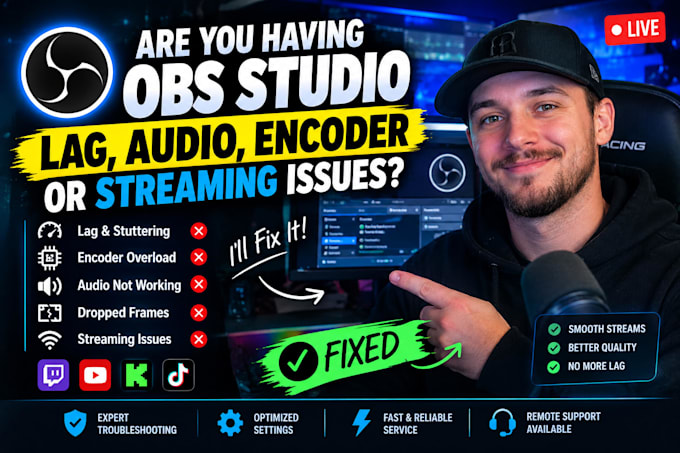
Is OBS Studio lagging, stuttering, dropping frames, or showing encoder overload? Are you dealing with audio problems, stream buffering, or poor stream quality? Ill diagnose and fix your OBS Studio issues and optimize your setup for smooth, reliable streaming.
I can fix:
Why choose me?
Whether your OBS is lagging while gaming, your encoder is overloaded, your audio is not working, or your stream keeps dropping frames, Ill help identify the problem and get your setup running smoothly.
Send me your OBS issue and lets fix it.
Software:
OBS Studio
Platform:
•
Twitch
•
YouTube
•
DLive
•
Bigo Live
•
Kick
•
Other
Q: My OBS stream is lagging and stuttering. Can you fix it?
A: Yes. I’ll diagnose the cause of your OBS lag, stuttering, FPS drops, or rendering lag and optimize your settings for smoother streaming.
Q: OBS says “Encoding overloaded.” How do I fix it?
A: I’ll troubleshoot your encoder settings, GPU/CPU usage, resolution, FPS, and bitrate to help resolve OBS encoder overload and encoding lag.
Q: My OBS is dropping frames while I’m streaming. Can you help?
A: Yes. I’ll check your bitrate, network connection, output settings, and OBS configuration to identify the cause of dropped frames and improve stream stability.
Q: My microphone or desktop audio is not working in OBS.
A: I can troubleshoot microphone, desktop audio, game audio, Discord audio, missing audio, audio delay, echo, crackling, and audio sync problems.
Q: My OBS stream looks blurry or has poor quality. Can you fix it?
A: Yes. I’ll optimize your resolution, bitrate, FPS, encoder, and output settings based on your PC, internet connection, and streaming platform.
Q: My OBS stream lags when I start playing games.
A: I’ll check OBS, GPU/CPU usage, encoder settings, game capture, FPS, and other performance settings to reduce streaming-related lag.
Q: My NVIDIA NVENC encoder is causing problems in OBS.
A: Yes. I can troubleshoot NVENC settings, encoder overload, GPU usage, encoding lag, and OBS performance issues on NVIDIA systems.
Q: My OBS stream keeps buffering or disconnecting.
A: I’ll troubleshoot your bitrate, connection-related settings, OBS output configuration, and streaming setup to identify the source of the problem.