Browse categories
English
$
USD
Connect to your AI
OBS Studio Live Streaming Expert
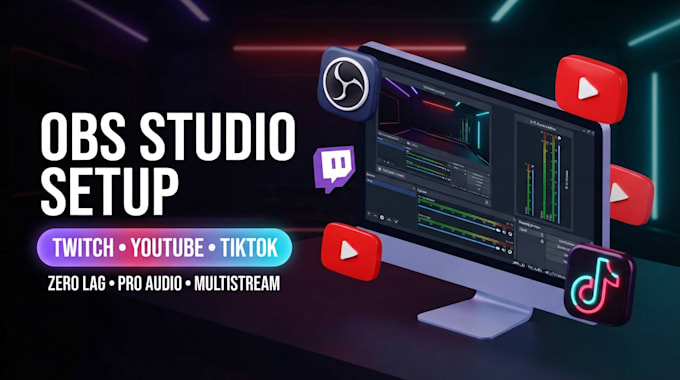
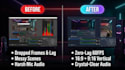
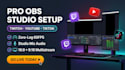
Want to stream to Twitch, YouTube, and TikTok simultaneously with zero lag and crisp audio?
Setting up OBS Studio can be frustratingone wrong bitrate, encoder, or audio track setting can cause dropped frames and ruined recordings. I will remotely configure your entire OBS Studio setup via AnyDesk or TeamViewer so you can go live with confidence.
Whats Included in My Service:
Have a console capture card, Stream Deck, or dual-PC setup?
Message me before ordering for a custom quote!
Software:
OBS Studio
Platform:
•
Twitch
•
YouTube
•
Bigo Live
•
Kick
Purpose:
Gaming
•
Music
•
Lifestyle
•
Business
•
News
•
Streamshare
How do you set up my OBS Studio remotely?
I use secure remote desktop software like AnyDesk or TeamViewer. You can watch the entire setup live on your screen and revoke access the moment we are finished.
Do I need a TikTok Stream Key to multistream to TikTok?
Yes, or access to TikTok Live Studio. If your TikTok account has unlocked Live access (usually 1,000+ followers or gaming creator approval) but does not have a direct stream key, I can configure OBS Virtual Camera to feed directly into TikTok Live Studio cleanly.
Will streaming to 3 platforms at once lag my PC or internet?!
I optimize your encoder settings (such as NVENC) so your GPU handles both horizontal (16:9) and vertical (9:16) canvases efficiently without hurting your game FPS. However, multistreaming requires enough internet upload speed (at least 10–15 Mbps upload is recommended). Message me your specs before
: Do you design custom overlays, or do I need to provide them?
This gig covers the technical setup and integration of overlays you already own. If you do not have overlays yet, I can set up clean, free starter overlays or you can message me to add custom overlay design to your order.
Can you separate my music from my Twitch VODs so I don't get DMCA strikes?
Yes! In the Premium package (or as an add-on), I configure multi-track audio routing so your live viewers hear your music, while your saved Twitch VODs stay completely copyright-safe.
Do you work with Mac, or only Windows PCs?
I work with both Windows and macOS. Please let me know which operating system you use before ordering, as certain third-party plugins differ slightly between Windows and Mac.
What if something stops working after the order is completed?
I provide a live test stream before finishing so you know everything works, plus a quick walkthrough of how to use your new setup. If you accidentally change a setting later, feel free to reach out—I am always happy to help.