Browse categories
Explore
Fiverr Pro
English
$
USD
Custom Spreadsheet | Advanced Excel | VBA Macros Expert
Are you tired of manual data entry, broken formulas, and messy Excel spreadsheets that waste time instead of saving it?
Many people struggle with poorly built expense trackers, unreliable budget spreadsheets, and files that cant scale as data grows.
If your spreadsheet is slow, confusing, or error-prone, its hurting your productivity.
The Solution
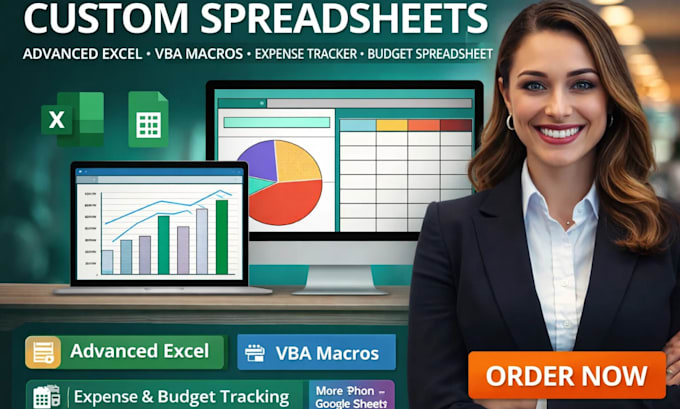
I create custom Excel spreadsheets that are automated, accurate, and easy to use. Whether you need an expense tracker, budget spreadsheet, Excel dashboard, or VBA automation, your file will be clean, scalable, and built for real results.
My Process
Services
Advanced Excel Excel macros VBA automation Expense tracker Budget spreadsheet Excel dashboard Data cleaning Data visualization
Message me now to turn Excel into a powerful tool that works for you.

Platform:
Excel
•
Google Sheets
•
VBA
Development technology:
VBA
•
Google Apps Script
•
VLOOKUP
Expertise:
Formatting
•
Fixing
•
Forms
•
Formulas
•
Macros
What is the difference between a custom spreadsheet and a normal Excel template?
A custom spreadsheet is built around your exact workflow, data volume, and goals. Unlike generic templates, I design logic, formulas, and structure specifically for your expense tracker, budget spreadsheet, or business
When should I use advanced Excel instead of basic formulas?
You need advanced Excel when your file involves large datasets, multiple conditions, dashboards, or automation. I use dynamic formulas, pivot tables, and structured data models to avoid errors and manual work.
How can VBA macros improve my Excel workflow?
VBA macros automate repetitive tasks such as data entry, reporting, formatting, and calculations. This reduces human error and can save hours of manual work every week.
Can you fix or improve an existing Excel file?
Yes. I optimize and restructure existing spreadsheets cleaning formulas, improving performance, and adding automation without breaking your current data.
Do you build Excel dashboards for tracking expenses or budgets?
Absolutely. I create Excel dashboards with charts, summaries, and visual indicators so you can instantly track spending, income, and performance.
Is my data secure when you work on my spreadsheet?
Yes. Your files are handled confidentially, and I only access the data necessary to build or improve your spreadsheet solution.
Can you convert my spreadsheet to Google Sheets?
Yes. I can recreate your Excel spreadsheet in Google Sheets, adapting formulas and automation where possible.
Will I be able to use the spreadsheet without technical knowledge?
Yes. All spreadsheets are delivered with a clean layout and simple controls so non-technical users can easily update and manage them.
Who is this gig best suited for?
This gig is ideal for freelancers, businesses, finance teams, and individuals who need reliable expense trackers, budget spreadsheets, or automated Excel systems.