Browse categories
Explore
Fiverr Pro
English
$
USD
Pakistan
666 orders completed
Where Creativity Meets Precision
Level 1
Has met certain performance criteria and shows strong potential in the marketplace.
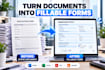
Need a fillable PDF form, editable PDF, or interactive PDF form? I create custom fillable forms and convert Word, Excel, JPG, PNG, scanned documents, existing PDFs, and SVG artwork (where applicable) into professional, easy-to-use forms.
**SERVICES INCLUDE:**
I create business forms, applications, invoices, registration forms, surveys, questionnaires, contracts, and checklists. Whether you need a simple fillable form or an advanced interactive form with calculations, I focus on accurate fields, clean formatting, and usability.
Send your source file and explain the fields or functions you need. Please contact me before ordering for complex calculations, JavaScript, or automation so I can confirm the scope and viewer compatibility.
Get a professional, editable form tailored to your workflow!


Convert from:
Other
Convert to:
What types of documents can you convert into fillable PDF forms?
I can convert Word documents, Excel files, existing PDFs, scanned documents, and images into fillable PDF forms. Common examples include applications, invoices, surveys, contracts, registration forms, and checklists.
Can you create a custom PDF form from scratch?
Yes. I can design a custom PDF form based on your content, branding, layout preferences, and functional requirements.
Can you add automatic calculations and interactive fields?
Yes. I can add supported text fields, checkboxes, radio buttons, drop-down menus, date fields, calculated fields, and JavaScript-based functionality, depending on the project scope and PDF viewer compatibility.
Will my fillable PDF work on mobile devices?
Many fillable PDF forms work on desktop and mobile PDF applications. However, advanced JavaScript, calculations, and certain interactive features may behave differently across viewers. I recommend testing the finished form in the intended application.
Can you edit an existing PDF form?
Yes. I can update existing PDF forms, adjust field placement, revise text, replace logos, improve formatting, and add supported interactive fields.
Can you add automatic calculations or auto-populated fields?
Yes, where supported. Please explain the calculation rules or field relationships before ordering so I can assess the functionality and confirm the scope.
What do you need from me to start?
Please provide your source document, required fields, preferred layout, branding assets if applicable, and any specific functionality you need.
Do you offer revisions?
Yes. Revisions are included according to your selected package and its stated scope. Additional functionality or substantial changes beyond the agreed scope may require a custom offer.


