Browse categories
Explore
Fiverr Pro
English
$
USD
Professional Excel and Data Entry Expert
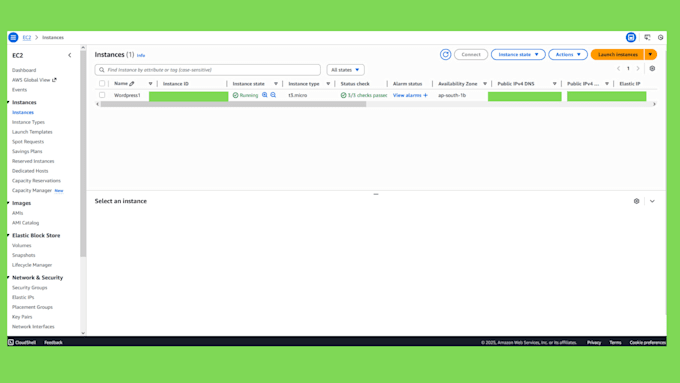
Want the power and reliability of Amazon Web Services (AWS) for your WordPress site but don't know where to start? The AWS EC2 dashboard can be tricky and one wrong step can leave your site slow or insecure.
That's where I come in.
Ill manually set up a high-performance AWS EC2 server optimized for WordPress fast, secure, and ready to go.
What You'll Get:
Why Hire Me:
Message me before ordering so we can discuss your setup and ensure the perfect solution for you.




Operating system:
Windows
•
Linux
•
Unix
•
Other
1. Q: How much will AWS charge me after your setup? I'm worried about hidden costs.
For most new sites, the server I set up (an "EC2 t2.micro") is part of the AWS Free Tier for 12 months. After the free year, it costs just a few dollars a month. Billing from AWS is separate from my gig, but I will make sure you are on the most cost-effective plan.
2. Q: Do I need to be a tech expert to manage my site after you're done?
manage your website using the normal WordPress admin dashboard (your-site.com/wp-admin), just like on any other host. You will never have to look at a scary command line. I handle all the complex server setup so you don't have to
4. Q: Why should I do this? Is it really better than my $5/month shared hosting?
In one word: Speed. On cheap shared hosting, your site is "sharing" a server with hundreds of other websites, which slows it down. With AWS EC2, you get your own dedicated virtual server. This means a much faster website, a better experience for your visitors, and a boost in Google search rankings.
5. Q: I already have a WordPress site on another host. Can you move it for me?
Yes, absolutely! That's exactly what my Premium Package is for. I will carefully migrate your entire existing website (all your files, posts, and images) from your old host to your new AWS server with almost no downtime.
6. Q: Can you set up my email (like info@mydomain.com)?
I strongly recommend using a dedicated service for email, as AWS servers are not designed for it (your emails can get blocked as spam). The best options are Zoho Mail (which has a great free plan) or Google Workspace. I can help you point your domain's records to them as part of the setup.
7. Q: What about website backups? Will my site be safe?
The safest and easiest way to handle this is with a simple WordPress plugin. As part of my service, I can install and configure a plugin like Updraft Plus for you. It can automatically back up your entire site to your personal Google Drive or Dropbox, so you always have a copy.