Browse categories
Explore
Fiverr Pro
English
$
USD
Navigate AI, Elevate your content : Expert Solutions
Level 1
Has met certain performance criteria and shows strong potential in the marketplace.
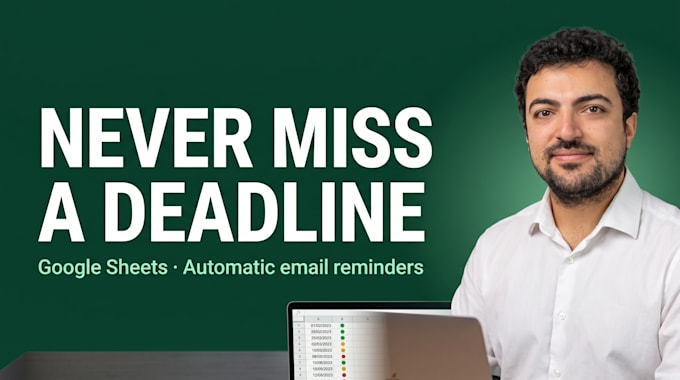
Missed a contract renewal, an expired certificate or a deadline nobody saw coming?
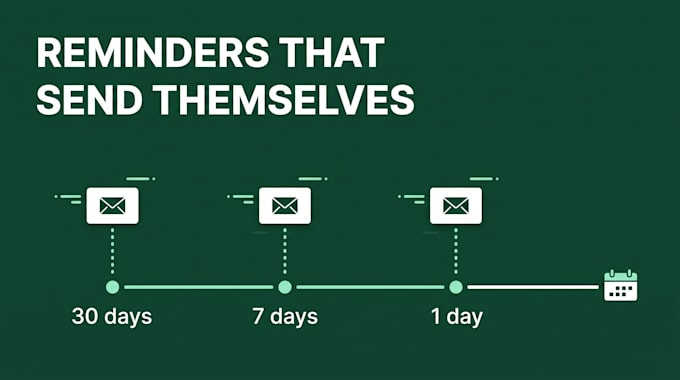
I build a deadline tracker in Google Sheets that watches your dates and emails the right person before it is too late. It runs inside your own Google account. No app to install, no monthly subscription.
How it works:
Typical uses:
Why it pays off: one missed renewal can cost more than this gig. The tracker checks every day, so you do not have to.
You own the sheet and the script, with plain documentation so anyone on your team can update it.
Send me your list of deadlines before ordering and I will tell you which package fits.


Technology:
Google Sheets
•
Other
Expertise:
Data flow
•
Data manipulation
•
Data validation
What exactly is included, and what is not?
Included: the tracker sheet, the reminder script and its daily trigger, and documentation. Basic sends to one address; Standard and Premium email each owner. Not included: SMS or WhatsApp, paid third-party tools, and importing more than 200 existing rows by hand.
Do I need a paid Google Workspace plan?
No. It runs on a free Google account. Gmail limits how many emails a script can send per day: about 100 on a free account and 1,500 on Workspace. That is plenty for most trackers. Tell me how many reminders you expect and I will confirm.
Can I change the dates and delays myself?
Yes. Dates, owners and reminder delays are plain cells in the sheet. Add a row and it is tracked from the next daily check. No code to touch.
Will the emails come from my address?
Yes. The script runs on your account, so reminders are sent from your Gmail. Nothing goes through my side, and you can stop it at any time.