Browse categories
Explore
Fiverr Pro
English
$
USD

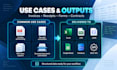
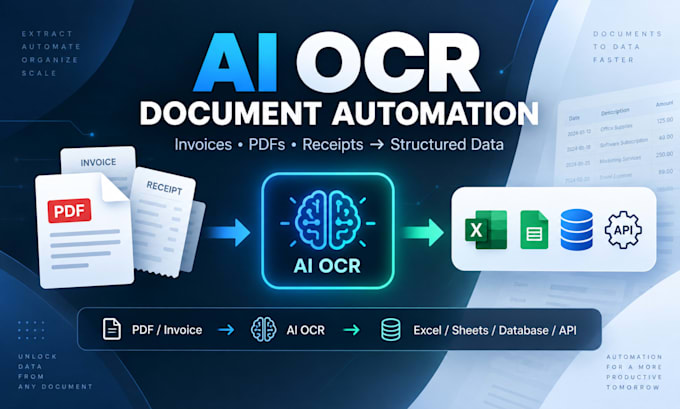
Tired of manually copying data from invoices, receipts, PDFs, and scanned documents?
I will build a custom document-extraction workflow that converts your files into clean, structured data using the right combination of PDF parsing, OCR, AI extraction, and validation.
I can automate:
- Invoice and receipt processing
- PDF and scanned-document extraction
- Tables and invoice line items
- Multiple document layouts
- Data validation and duplicate detection
- Excel, CSV, JSON, and Google Sheets output
- Database and API integrations
- Gmail or Google Drive document intake
- Automated file processing and archiving
- Error handling and manual-review workflows
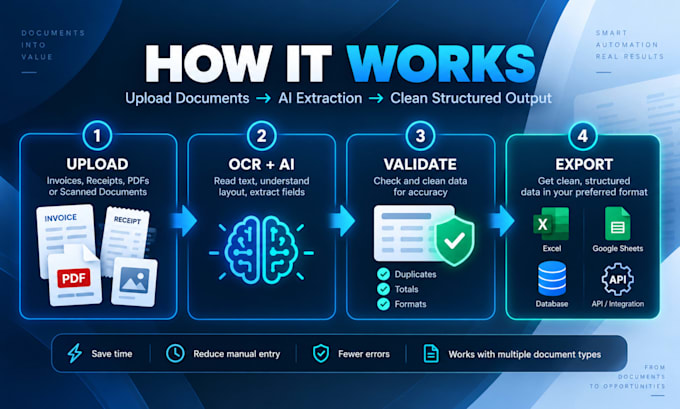
Typical workflow:
Document -> PDF/OCR Extraction -> AI Field Extraction -> Validation -> Structured Data
-> Business System
I use Python and suitable OCR/AI technologies based on your document type, scan quality, layout variation, volume, and required fields.
You receive a tested solution, source code, and documentation according to your package.
Please contact me before ordering if your project includes many document layouts, complex tables, handwriting, high processing volume, or custom integrations.
AI and Data Science Engineer, RAG, MCP and LLM Automation
Languages
1. Can you process scanned PDFs and images?
Yes. I can process digital PDFs, scanned PDFs, JPG, PNG, and similar document formats. Extraction quality depends on the quality of the original document.
2. Can you process invoices from different suppliers?
Yes. Multiple invoice layouts can be supported. Please send representative samples so I can evaluate the document variation before starting.
3. Can you extract tables and invoice line items?
Yes. I can extract table data and line items. Complex tables may require the Standard or Premium package depending on the document structure.
4. Where can the extracted data be sent?
I can deliver structured data to Excel, CSV, JSON, Google Sheets, databases, REST APIs, or other systems that provide suitable integration options.
5. Can you automate documents received by email or Google Drive?
Yes. I can build workflows that automatically process new documents from email, Google Drive, folders, uploads, or webhooks.
6. Do you guarantee 100% OCR accuracy?
No OCR system can guarantee 100% accuracy for every document. I use validation and error-handling rules so uncertain fields can be flagged for review instead of being silently accepted.
7. What do you need from me to start?
Please send 2–5 representative document samples, the exact fields you need extracted, and your preferred output format such as Excel, CSV, JSON, Google Sheets, database, or API. If you have multiple layouts or suppliers, include examples of each when possible.