Browse categories
Explore
Fiverr Pro
English
$
USD
Google Sheets Automation and Apps Script
Do you copy details from emails into a sheet by hand? I will automate it with Google Apps Script, so it happens by itself.
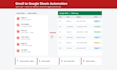
I built these automations for my own company: art approval emails imported into a sheet every hour, file emails forwarded to the right team with the order sheet updated, and a live board that shows Gmail labels on a screen.
What I can build:
- Import emails by label, sender or subject into Google Sheets
- Extract details like order number, date, name or amount into columns
- Save email attachments to Google Drive with links in the sheet
- Auto label, archive or forward emails
- Hourly or daily automatic run, no button needed
What you get:
- Working script inside your own Google account
- No passwords needed, you stay in full control
- Short user instructions
- 7 days of free support after delivery
Please message me before ordering, so we can agree on what you need.

Technology:
Google Sheets
•
Other
Do you need my Gmail password?
No. The script runs inside your own Google account. You approve it once, and I never need your password.
Will it read all my emails?
No. It only reads the emails you choose, for example one label, one sender or one subject.
How often does it run?
You choose: every hour, every day, or at a set time. It runs automatically.
How fast do you reply?
I usually reply within a few hours. My working time is evening and night, Pakistan time (GMT+5).
