Browse categories
Explore
Fiverr Pro
English
$
USD
Livestream Technology and Audio Systems Expert
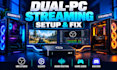
Struggling with your dual-PC streaming setup, Elgato capture card, missing game audio, or OBS recording lag?
I help gamers and streamers build reliable dual-PC systems for smooth livestreaming, clear audio, and high-quality gameplay recording.
Whether you're starting fresh or fixing an existing setup, I'll configure your gaming PC, streaming PC, OBS Studio, and capture hardware around your equipment.
What I can help you with:
Why choose me?
I focus on stable capture, accurate audio routing, and practical configurations tailored to your hardware.
Message me before ordering with both PC specifications, capture card model, and current issues.

Software:
OBS Studio
Purpose:
Gaming
•
Music
•
Lifestyle
•
Business
•
News
•
Streamshare
•
Webinar
1. Can you configure my Elgato capture card for dual-PC streaming?
Yes. I can help configure Elgato HD60 X, 4K X, 4K Pro, and other compatible capture cards with OBS Studio. I'll review the HDMI connections, capture settings, resolutions, refresh rates, and audio paths to establish a reliable gaming-to-streaming-PC workflow.
2. Can you fix stuttering, black screens, and low recording quality?
Yes. I can diagnose common capture and OBS problems, including signal loss, incorrect resolutions, encoder overload, rendering lag, and recording stutter. The appropriate solution depends on your PC specifications, capture card, drivers, and current settings.
3. Can you separate game audio, Discord, microphone, and music?
Yes. I can help configure separate audio sources using compatible tools such as Wave Link, GoXLR, Voicemeeter, and OBS application audio capture. I'll also check monitoring, duplicated sound, sync delays, and recording track assignments.
4. Can I play at 1440p or 240Hz while streaming at 1080p60?
Potentially, yes. It depends on your monitor, GPU, capture card, and display configuration. I'll assess your hardware's supported passthrough and capture modes before recommending the most reliable gaming and streaming settings.
5. Will you help me test the entire setup?
Yes. I'll test the agreed video and audio workflow, check OBS statistics, review synchronization, and explain how to operate the configured setup. Some hardware faults or limitations may require replacement equipment.
