Browse categories
Explore
Fiverr Pro
English
$
USD





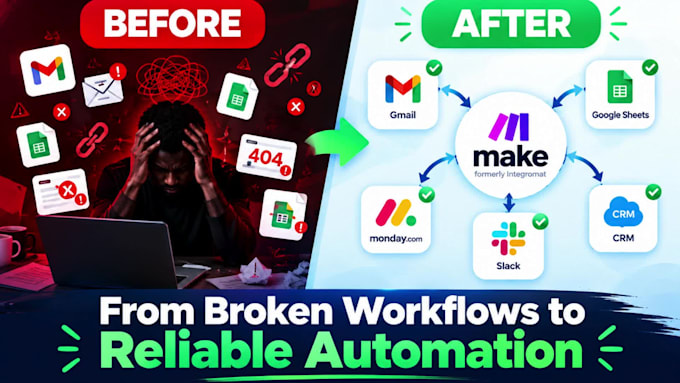
Manual work, disconnected apps, and broken workflows are slowing your business down?
When leads, data, tasks, and notifications move between systems manually, errors happen and valuable time disappears. A properly structured Make.com automation turns those repetitive processes into a reliable workflow that runs consistently.
I build, fix, and optimize Make.com automations around your actual business process. Whether you need a new scenario, a broken workflow repaired, or Monday CRM connected to the rest of your tools, I focus on clean logic, reliable data flow, and practical results.
What I can build or fix:
How it works:
Have a workflow that needs to be built or fixed?
Message me with a short description of your process and lets turn it into reliable automation.
AI Automation Expert Workflow Automation CRM Integration Specialist
Languages
1. Can you build a custom Make.com automation for my business?
Yes. I build custom Make.com automations tailored to your process, including triggers, actions, filters, routers, and data mapping. Every Make.com scenario is designed for clean logic and reliable workflow automation that runs consistently.
2. Can you fix my existing Make.com scenario that stopped working?
Yes. I fix broken Make.com scenarios by troubleshooting module errors, mapping issues, filters, routers, and webhooks. I repair the Make.com automation, test it thoroughly, and deliver a stable working scenario.
3. Can you integrate Monday CRM with Make.com?
Yes. I specialize in Monday CRM automation with Make.com. I connect Monday.com to your other tools for lead management, record updates, task creation, notifications, and smooth data synchronization.
4. What apps can you connect with Make.com automation?
I connect Make.com with CRMs, Google Sheets, Slack, email tools, forms, databases, and apps with APIs. When needed, I use webhooks and HTTP modules for flexible Make.com automation solutions.
5. Do you build API and webhook integrations with Make.com?
Yes. I create Make.com automations using APIs, webhooks, HTTP modules, and JSON. This allows reliable connections even when apps don’t have native Make.com integrations.
6. Can you optimize an existing Make.com automation?
Yes. I optimize Make.com scenarios by improving logic, fixing mapping issues, removing unnecessary steps, and strengthening error handling for better performance and reliability.
7. What do you need to start my Make.com project?
I need a clear description of your process, the apps involved, your desired result, and any existing Make.com scenario if it’s a fix. Screenshots or sample data help speed up the workflow automation.
8. Can you create complex multi-app workflows with Make.com?
Yes. I build complex Make.com automations with multiple apps, routers, filters, data transformations, error handling, and CRM updates for scalable and reliable business process automation
9. Do you provide documentation with the Make.com automation?
Yes. Standard and Premium packages include clear documentation of your Make.com scenario so you or your team can easily understand and maintain the workflow after delivery.
10. How is Make.com different from Zapier for automation?
Make.com offers more flexibility than Zapier for complex scenarios with advanced routers and data handling. Many clients switch to Make.com automation for better control and lower costs on larger workflows.