Browse categories
Explore
Fiverr Pro
English
$
USD




Automate your Gmail inbox with a custom Make.com automation powered by OpenAI.
I will build an AI email automation workflow that analyzes incoming emails, classifies them, detects priority, extracts customer or company information, generates a short summary and routes each message automatically.
This Gmail automation can classify emails into:
Sales
Support
Billing
Google Alerts
Needs Review
Your workflow can also detect Low, Medium or High priority and apply Gmail labels automatically.
What I can automate:
Make.com automation
Gmail automation
OpenAI automation
AI email classification
Email routing automation
Customer/company extraction
AI email summaries
Suggested next actions
Department routing
Gmail labels
Google Sheets automation
Needs Review fallback
Router and filter logic
This solution is ideal for businesses, agencies, sales teams, support teams and service companies that want to reduce manual inbox management.
I build workflows using Make.com, Gmail, OpenAI and Google Sheets, customized around your business rules.
Need a custom AI email routing automation for your business? Send me your current workflow and requirements.
Business Automation: n8n, Make and AI Workflows
Languages
1. What is included in your Make.com automation service?
I can build a custom Make.com workflow using Gmail, OpenAI and Google Sheets for AI email classification, routing, priority detection, summaries, labels and automated logging.
2. Can you automate Gmail with OpenAI?
Yes. I can connect Gmail with OpenAI through Make.com so incoming emails are analyzed, classified, summarized and automatically routed based on their content.
3. Can AI automatically classify business emails?
Yes. OpenAI can classify emails into categories such as Sales, Support, Billing, Google Alerts or Needs Review using your custom business rules.
4. Can you build automatic email routing in Make.com?
Yes. I can create Make.com Routers and filters that send each classified email to the correct department, inbox or workflow destination automatically.
5. What happens if an email cannot be classified correctly?
I can add a Needs Review fallback route so ambiguous emails are separated for manual review instead of being automatically sent to the wrong department.
6. Can the automation detect urgent emails?
Yes. The AI workflow can classify incoming emails as Low, Medium or High priority based on message content and your specific priority rules.
7. Can you automate Google Sheets logging?
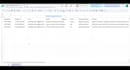
Yes. The workflow can automatically log the date, Message ID, sender, subject, category, priority, company, summary and suggested next action in Google Sheets.
8. Can the workflow automatically add Gmail labels?
Yes. Gmail labels can be added automatically according to the AI email classification, making your inbox easier to organize, filter and manage.
9. Can OpenAI generate email summaries and next actions?
Yes. The workflow can generate a short summary of each email and recommend the next action your sales, support, billing or administrative team should take.
10. Can you customize the automation for my company?
Yes. I can customize categories, routing rules, priorities, OpenAI prompts, filters, Gmail labels, Google Sheets fields and department destinations.


