Browse categories
Explore
Fiverr Pro
English
$
USD
OBS Studio and Live Streaming Setup Specialist
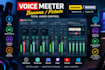
Struggling with distorted audio, echo, unbalanced volume, or confusing audio routing while streaming? Get your Voicemeeter setup working the way you need it to.
Enjoy clearer microphone sound, better audio separation, and a more reliable workflow for streaming, gaming, and recording.
What You Get
Perfect For
Streamers, gamers, content creators, and podcasters who want better audio control and a cleaner production workflow.
Supported Workflows
Voicemeeter, OBS Studio, Streamlabs, Discord, Twitch, YouTube, and supported audio devices.
Whether you're building your first streaming setup or fixing an existing one, the goal is simple: clear audio, properly routed sources, and fewer technical distractions.
Ready to improve your streaming audio?
Message me with your current setup and the issue you're experiencing so we can identify the right solution for your needs.

Software:
OBS Studio
Platform:
Twitch
•
YouTube
•
Kick
Purpose:
Gaming
•
Music
•
Lifestyle
•
Business
•
News
•
Streamshare
•
Webinar
