Browse categories
Explore
Fiverr Pro
English
$
USD
Professional Whatnot and OBS Studio Streaming Specialis
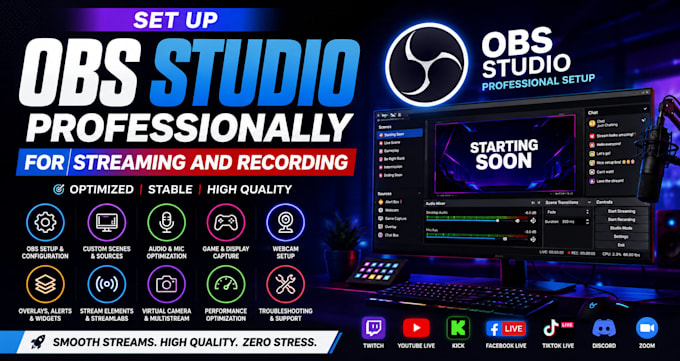
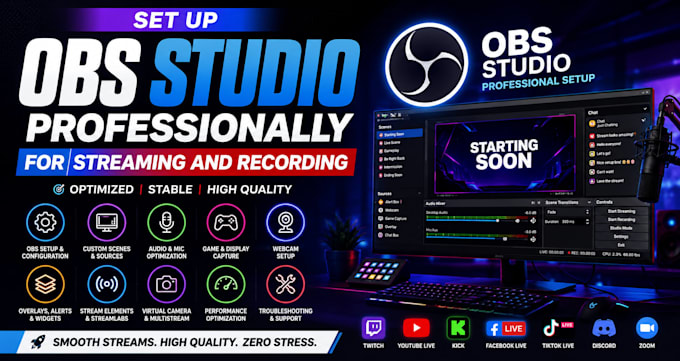
Set Up OBS Studio Professionally for Streaming and Recording
Are you looking for a professional OBS Studio expert to set up your streaming or recording software? You're in the right place! I will install, configure, and optimize OBS Studio for smooth live streams and high-quality recordings based on your PC specifications, internet speed, and streaming goals. Whether you're a gamer, content creator, podcaster, educator, church, business, or online coach, I'll create a reliable and easy-to-use setup.
Services include:
OBS Studio installation and configuration
Custom scenes, sources, and transitions
Audio, microphone, and webcam setup
Game, display, and window capture
Recording and streaming optimization
Encoder, bitrate, resolution, and FPS settings
Stream overlays, alerts, and widgets
StreamElements & Streamlabs integration
Virtual Camera and multistream setup
Performance optimization and OBS troubleshooting
I support Twitch, YouTube Live, Kick, Facebook Live, TikTok Live, Discord, and Zoom. My goal is to deliver a stable, professional OBS Studio setup with fast delivery, excellent communication, and reliable support so you can stream and record with confidence.
Software:
Streamlabs OBS
Platform:
•
Twitch
•
YouTube
•
Mixer
•
Kick
Purpose:
Gaming
•
Music
•
Lifestyle
•
Streamshare
1. What platforms do you support?
I can set up OBS Studio for Twitch, YouTube, Facebook Live, Kick, TikTok Live (where compatible), Zoom, Discord, and other streaming or recording platforms.
2. What is included in your OBS Studio setup?
Depending on your package, I can configure scenes, sources, audio, webcam, game capture, recording settings, bitrate, encoder, overlays, alerts, browser sources, hotkeys, transitions, and performance optimization.
3. Can you optimize OBS Studio to reduce lag and improve quality?
Yes! I will optimize your OBS settings based on your PC specifications and internet speed to achieve smooth streaming and high-quality recordings with minimal CPU usage.
4. Can you install stream overlays and alerts?
Absolutely. I can integrate your existing overlays, alerts, widgets, chat box, goal bars, and browser sources from platforms like StreamElements or Streamlabs.
5. Do I need to have OBS Studio installed before ordering?
No. If needed, I can help you install OBS Studio and configure everything from the ground up.
6. What information do you need to get started?
You'll need to provide your streaming platform, PC specifications, internet speed, and any branding assets such as overlays, logos, alerts, or scene designs you'd like me to use.
7. Can you help fix OBS Studio errors or technical issues?
Yes. I can troubleshoot common OBS problems, including black screen issues, audio sync errors, dropped frames, encoder errors, lag, and poor recording quality.
8. Will you provide support after the setup is complete?
Yes. I provide post-delivery support based on the package you purchase to ensure your OBS Studio setup works properly and you're ready to stream or record with confidence.