Browse categories
Explore
Fiverr Pro
English
$
USD


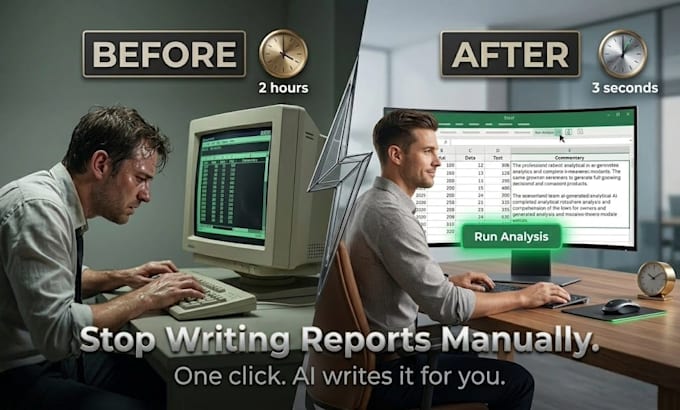
Still writing the same Excel commentary every week? I'll build a macro that sends your data to AI and pastes back plain-English analysis in one click.
I work with finance teams, ops managers, and business owners who spend hours turning numbers into words. Whether it's a variance report, expense summary, or KPI narrative - I'll add an AI layer that writes it for you, automatically.
What you get:
- One-click button that sends your data to AI and returns plain-English analysis
- Works with P&Ls, expense reports, sales data, and KPI dashboards
- Runs on your own API key - no subscriptions or recurring costs
- Fully commented VBA code your team can understand and maintain
- Instructions tab included for any user
How it works:
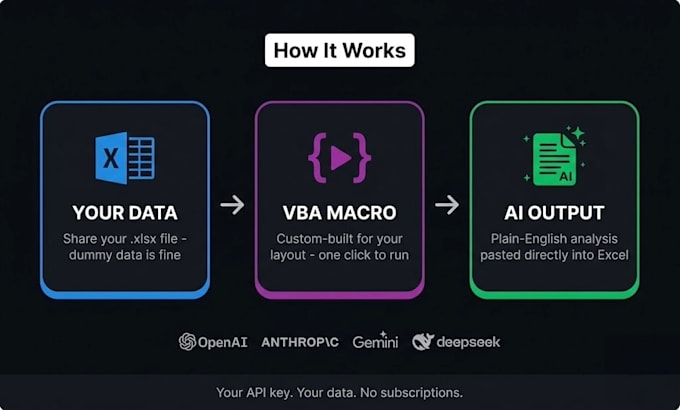
- Share your Excel file and describe what you want automated
- I build and test the macro against your actual layout
- You get back a .xlsm file - add your API key and click Run
Compatible with OpenAI, Anthropic (Claude), Google Gemini, or DeepSeek - your choice. Works in Excel 365, 2021, 2019, and 2016 on Windows.
Delivered as a commented .xlsm workbook with setup guide. No plugins or add-ins needed.
Accounting Professional
Languages
What AI model does this use?
I build it for OpenAI, Anthropic (Claude), Google Gemini, or DeepSeek - your choice. Gemini has a free tier; DeepSeek is extremely low-cost. I include a full API setup guide whichever you choose.
Do I need programming knowledge to use it?
None at all. You open the file, paste your API key into one cell, and click the Run button. Everything else is handled by the macro. I also include a plain-English instructions tab.
Will it work with my existing spreadsheet?
Yes - I build around your actual file. Share it with dummy data swapped in if it's sensitive. I'll adapt the macro to match your exact column layout and data structure.
What kind of analysis can the AI write?
Variance commentary, expense summaries, trend narratives, anomaly flags, KPI explanations, executive summaries - anything you currently write manually from a table of numbers.
What's the difference between the packages?
Basic covers one AI tool for a single use case. Standard adds multiple tools and formatted report output. Premium includes a full dashboard, Outlook email automation, and 14 days of support.
What do you need from me to get started?
Your Excel file (use dummy data if sensitive - structure is what matters), a description of the analysis you want automated, your Excel version (365, 2021, 2019, or 2016 - Windows only), and your preferred AI provider: OpenAI, Anthropic, Google Gemini, or DeepSeek.