Browse categories
Explore
Fiverr Pro
English
$
USD


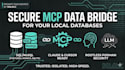
[ SOLOLC MCP DATABASE ENGINE ]
Stop feeding data manually. I build professional Model Context Protocol (MCP) serversa secure, high-speed bridge between local databases and AI like Claude Desktop or Cursor.
Why SOLOLC Standard?
I deliver a production-ready infrastructure optimized for the official MCP SDK:
Packages
Workflow
Transform your AI into a secure Data Expert today.
MESSAGE ME BEFORE ORDERING!
Solving Complex Problems with Simple, Clean Code
Languages
Q1: Why do you prioritize Podman over Docker?
At SOLOLC, we prioritize security. Podman is daemon-less and runs rootless by default, significantly reducing the attack surface on your local machine compared to traditional Docker. It’s the industrial standard for secure AI-to-Local-Data bridging.
Q2: Will my database data be sent to the AI model?
No. Only the results of the specific queries (e.g., "What was the total sales in June?") are sent to the AI context. Your raw database files stay strictly on your local infrastructure.
Q3: What is the "uv" environment you mentioned?
uv is an extremely fast Python package manager. I use it to ensure your MCP server has zero dependency conflicts and starts instantly with a single command: uv run start.
