Browse categories
English
$
USD
Connect to your AI

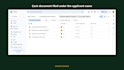
You receive files by email: applications, supporting documents, administrative paperwork. Someone on your team opens every message, downloads the attachments, checks what is missing, chases the sender, then files everything somewhere.
I build a system that does those four steps for you, without changing the tools you already use.
What you get
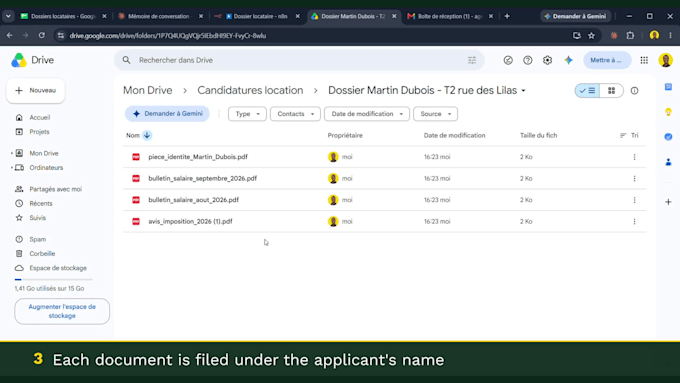
Every incoming email creates a Google Drive folder named after the sender
Attachments are filed inside it automatically
The system compares what arrived against your list of required documents
The sender receives an email stating exactly what is still missing
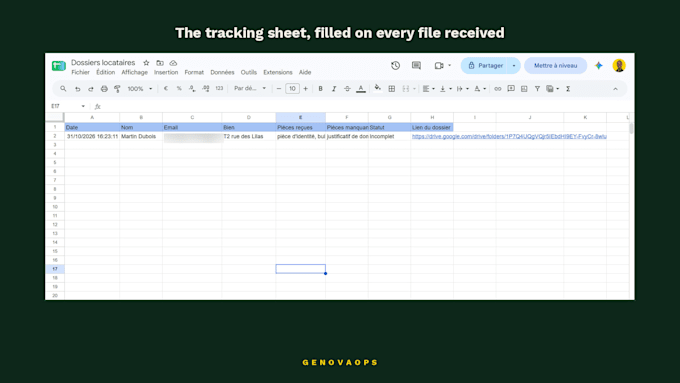
You get one summary row in Google Sheets: name, subject, documents received, missing documents, status, folder link
Who this is for
Letting agents (tenant files), training providers (funding paperwork), recruiters (applications) any business that collects documents by email.
Delivery
The workflow installed and running on your n8n account, a short written guide, and free fixes during the support period.
The demo video shows the real system running. All documents shown in it are fictitious.
n8n Automation Developer for Google Workspace
Languages
Do I need an n8n account?
Yes. The workflow runs on your own n8n instance (cloud or self-hosted), so you keep full ownership and control. If you don’t have one yet, tell me before ordering and I’ll walk you through the free setup — it takes a few minutes.
Will this work if my senders name their files randomly?
With the Starter package, documents are identified by file name, so names like invoice_john.pdf work but scan001.pdf does not. If your senders attach randomly named files — which is common — choose AI Detection: the system reads the content of each document instead of its name.
Does this replace my current tools?
No. It connects Gmail, Google Drive and Google Sheets together. Nothing in your existing setup changes, and you can switch the workflow off at any time.
What happens to a file that is already complete?
The sender receives a confirmation email instead of a reminder, and the row in your tracker is marked as complete. You decide the wording of both emails.
Can you use Outlook / Dropbox / Notion instead?
Yes, through the “additional platforms” extra. Message me before ordering with your exact tools so I can confirm it’s feasible and quote the right package.
Is my data safe?
The workflow runs on your own accounts — I never store your documents. I only need temporary access during setup, and you revoke it when the work is delivered.