Browse categories
Explore
Fiverr Pro
English
$
USD


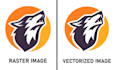

Do you have a low-resolution logo or image that needs to be transformed into a clean, scalable vector?
Youre in the right place! I specialize in professionally redrawing and vectorizing logos and images, ensuring they look crisp, sharp, and flawless at any sizeperfect for print, web, social media, merchandise, packaging, embroidery, and more.
Using precise manual tracing (not auto-tracing), I recreate your artwork with smooth lines, balanced shapes, and pixel-perfect accuracyso you never have to worry about blur or distortion again.
What Youll Get:
High-quality vector files (SVG, PDF, AI, EPS)
Clean, smooth lines with accurate detailing
Fully scalable, print-ready files (300 DPI)
Color correction and basic color adjustments
Fast delivery with clear, friendly communication
Why Choose Me:
100% manual, high-precision vector redraws
Quick turnaround without compromising quality
Unlimited revisions until youre fully satisfied
Ideal for logos, icons, sketches, badges, symbols, and custom graphics
️ For complex or highly detailed designs, feel free to message me before placing an order so I can guide you properly.
Please inform the freelancer of any preferences or concerns regarding the use of AI tools in the completion and/or delivery of your order.
Languages
How do I open and use vector images?
There are number of design software which are able to edit vector files. I recommend using Adobe Illustrator. Adobe Illustrator is the most widely-used vector editor and many other tools have emulated its user interface.
What are the vector file formats?
The most used vector file extensions (or file types) are SVG, PDF, EPS, and AI. which are editable in Adobe Illustrator.
Will I get a high-quality PNG or JPG file?
Definitely! You will get a high-quality PNG or JPG file.
Which method you are using for tracing/vectorize?
I will manually trace the vector by using Pen tool/Pencil Tool or any other necessary tools in Adobe illustrator. I'm not gonna use any auto trace techniques.


