Browse categories
English
$
USD
Connect to your AI


Want your own AI agent on your computer without learning the terminal?
I set up Hermes Agent (open-source AI agent by Nous Research) on your own PC or laptop, then connect it to Hermes Desktop for your computer and Telegram for your phone.
WHAT YOU GET
- Hermes and Hermes Desktop installed and tested (Windows or Mac)
- Your own AI account connected (you enter your key yourself)
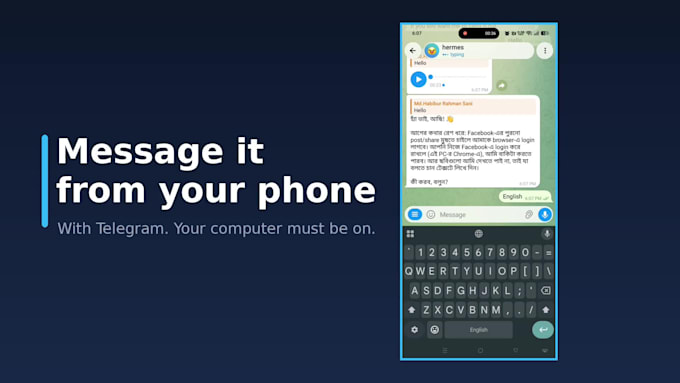
- Telegram connected, so you can msg your assistant from your phone
- A walkthrough of how to change settings yourself
- A welcome video within a few hours of ordering, and a full guide video after delivery
- 1 revision
TWO WAYS TO DO IT (your choice)
1) Screen share: you stay in control of your keyboard and mouse, and I guide you step by step.
2) Remote access: if you prefer, you can allow me to operate your computer while you watch. You type your own keys and password, and access ends when we finish.
GOOD TO KNOW
- Telegram replies need your computer to be on and online.
- AI usage cost is paid to your AI provider, not included in my price.
- I never ask for your passwords or API keys.
- Work computers with installation limits may not be supported.
Message me before order with your computer type
AI Developer
Languages
Q: Do I need a server?
A: No. It runs on your own computer.
Q: Do I have to give you remote access?
A: No. You can choose screen share instead. In that case you stay in control of your keyboard and mouse and I guide you.
Q: Will Telegram work when my computer is off?
A: No. Your computer needs to be on and online for Telegram replies.
Q: Do I pay for the AI model?
A: Yes, directly to your AI provider with your own key.
Q: Which computers are supported?
A: Windows 10/11 and Apple Silicon Macs work best. Message me first if you have an older or work computer.