Browse categories
Explore
Fiverr Pro
English
$
USD
Are you looking for a clean, automated, and professional Excel or Google Sheets template? Or do you need someone to organize and visualize your messy data into an interactive dashboard? You are in the right place!
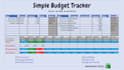
I specialize in designing custom spreadsheets that make tracking your data effortless. Whether it's for personal finance, project management, business invoicing, or automated reminders, I will build it tailored to your exact needs.
What I can do for you:
- Custom Spreadsheet Design (Budget Trackers, Automated Reminders, Goal Trackers)
- Interactive Dashboards with dynamic charts and graphs
- Formula Setup & Optimization (VLOOKUP, INDEX/MATCH, IF, COUNTIF, etc.)
- Data Cleaning, sorting, and conditional formatting
- Drop-down menus, checkboxes, and automated data validation
Why choose me?
- Clean, modern, and user-friendly layout design
- Fully functional and automated formulas
- Fast delivery and professional communication
Please send me a message with your requirements before placing an order so we can discuss the perfect layout for your project!

Platform:
Excel
•
Google Sheets
•
Microsoft Office
Development technology:
Google Apps Script
•
Excel
•
VLOOKUP
Expertise:
Formatting
•
Fixing
•
Formulas
•
Dashboard
•
Data validation
What information or files do I need to provide to get started?
Please provide your raw data file (Excel or Google Sheets), a clear explanation of what you want to calculate or track, and any specific layout preferences. If you have a manual workflow you want to automate, just describe it step-by-step!
Will my custom formulas and dashboards work on both Excel and Google Sheets?
Some complex formulas or specific macros behave differently on Excel and Google Sheets. Please let me know which platform you plan to use before we start so I can ensure all functions and dashboards run flawlessly on your preferred software.
Can you help me fix or optimize an existing spreadsheet that has errors?
Yes, absolutely! If your formulas are showing errors like #REF!, #VALUE!, or #N/A, I can troubleshoot and rebuild them to make your spreadsheet dynamic and clean again.
Do you provide a guide or instructions on how to use the spreadsheet?
Yes! For advanced and premium packages, I include a dedicated "Readme" or "Instruction" tab inside the spreadsheet to guide you through how the data flows and how to update it properly without breaking the formulas.
