Browse categories
Explore
Fiverr Pro
English
$
USD
Is your microphone sounding noisy, muffled, too quiet, or unprofessional?
Get clean, clear, balanced microphone audio optimized for your streaming or recording setup.
Whats included:
Compatible with USB microphones, XLR microphones, audio interfaces, gaming headsets, and other common microphone setups.
Perfect for streamers, YouTubers, podcasters, gamers, content creators, and voice-over professionals who want clearer and more professional-sounding audio.
Send your microphone model, software, and current audio problem to get started.
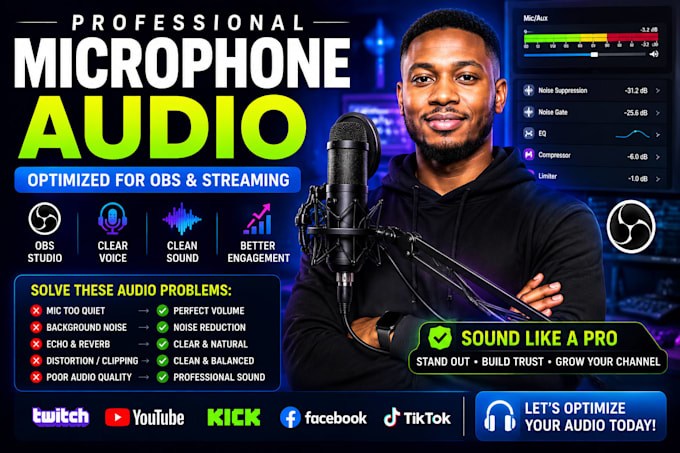

Software:
OBS studio
Platform:
Twitch
•
YouTube
•
Kick
Purpose:
Gaming
•
Lifestyle
•
Business
•
Streamshare
•
Webinar
What type of microphones can you optimize?
I can work with most USB microphones, XLR microphones, audio interfaces, gaming headsets, and other common microphone setups.
Can you set up my microphone in OBS Studio?
Yes. OBS microphone configuration, audio filters, levels, and monitoring can be optimized for your specific setup.
Can you remove background noise from my microphone?
Yes. Noise suppression, noise gate, EQ, compression, and other appropriate settings can be configured to improve voice clarity while keeping the audio natural.
Can you fix low volume, clipping, static, or distorted audio?
Yes. I can troubleshoot common microphone audio problems and fine-tune the settings to achieve cleaner and more consistent sound.
Do I need an expensive microphone?
No. Proper microphone positioning, gain, room conditions, and audio processing can make a significant difference with many microphones.
What do you need from me to get started?
Please provide your microphone model, the software you use, a description of the audio problem, and a short sample of your current microphone audio if available.
