Browse categories
Explore
Fiverr Pro
English
$
USD


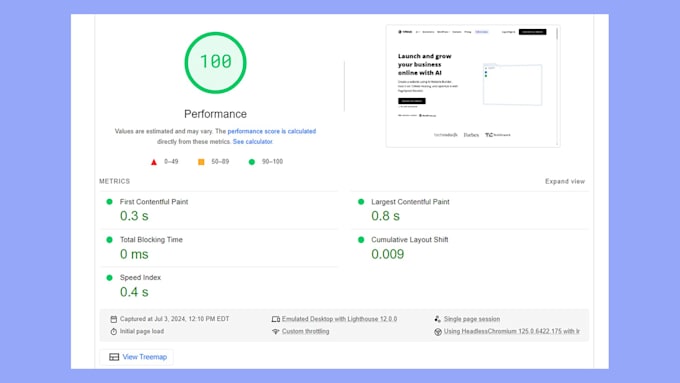
Before diving into Webflow, it's crucial to equip yourself with the right knowledge and skills to create stunning, lightweight, and SEO-friendly websites. My comprehensive training will guide you through the essential features of Webflow, ensuring you understand how to effectively handle layouts, elements, and interactions.
In this training, you will learn:
This training is essential for anyone looking to maximize their Webflow experience and create high-quality websites that stand out in search engine results. Don't start your Webflow journey without it. Let's build your skills together for a successful website launch!
Please be aware that it is against Fiverr's policies for sellers to include themes, templates, or any other elements that infringe third-party rights or applicable laws in the delivered work. Read more about in our Guide to Responsible Digital Creation.
Webflow Expert, Pixel Perfect Designer, Client First Developer
Languages
What is Webflow?
Webflow is a web design and development platform that allows users to create responsive websites visually, without needing to write code. It combines design, content management, and hosting all in one platform.
Why should I take a training course before starting my website on Webflow?
Training helps you understand the platform's features, best practices, and how to create SEO-friendly and responsive designs. It ensures you avoid common pitfalls and maximize your site's performance from the start.
Do I need any prior experience with web design to take your course?
No prior experience is required! My courses cater to all skill levels, from complete beginners to those looking to enhance their existing knowledge.
What will I learn during the training?
You will learn how to navigate the Webflow interface, create responsive layouts, implement SEO best practices, manage elements effectively, and build visually appealing websites.
How long are the training sessions?
Sessions vary by plan: the Basic Plan is 1 hour, the Standard Plan is 2 hours, and the Premium Plan consists of 4 hours split into two sessions.
Will I receive support after the training?
Yes! Depending on the plan you choose, I offer support for a limited time after our sessions to help with any follow-up questions or guidance you may need.
Can I schedule a session at a time that works for me?
Absolutely! Once you purchase a package, we can coordinate a schedule that fits your availability.
What if I have specific topics I want to cover?
Feel free to let me know your specific needs when booking your session. I can tailor the training to focus on areas that matter most to you.