Browse categories
Explore
Fiverr Pro
English
$
USD
Facebook and Google Ads Mastery
You Come to the Right Place Now.
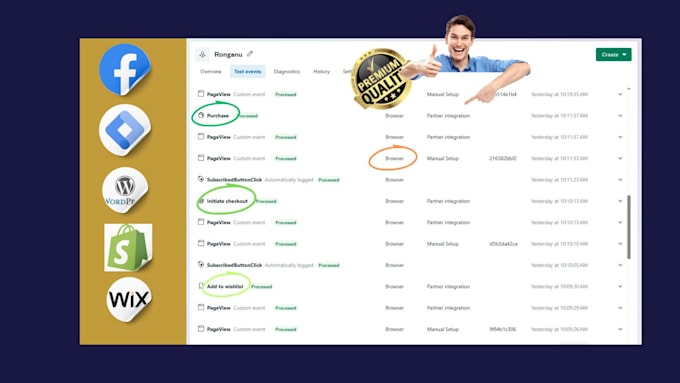
I expert in setting up Facebook Conversion API through Google Tag Manager, I'll help you capture vital data directly from your server, enhancing your tracking accuracy and ad performance.
What You'll Get:
Why Choose Me?
As a skilled digital marketer with hands-on experience in FB and Google Ads tracking, I specialize in setting up Conversion APIs for precision tracking. My expertise ensures that your data remains accurate, actionable, and aligned with your business goals.
I'm Ready, Order now.


1. What is Facebook Conversion API, and why is it important?
Facebook Conversion API (CAPI) allows you to send data about customer actions directly from your server to Facebook. This method is more reliable than standard browser-side tracking, which can be limited by ad blockers or privacy settings. CAPI helps improve ad attribution, track events accurately.
2. Will this setup work with any website platform?
Yes! I can implement Facebook Conversion API through GTM on various platforms like WordPress, Shopify, Wix, Squarespace, and more. Just let me know your platform, and I’ll handle the rest.
3. How do I know if Facebook CAPI is working correctly after setup?
I’ll conduct thorough testing to confirm that the API is tracking events accurately. I’ll also show you how to verify the data in Facebook Events Manager, where you can monitor incoming events and check for accuracy.
4. Can this setup improve my ad performance?
Yes! By ensuring accurate tracking, you’ll be able to get better insights into customer behavior, optimize campaigns effectively, and make data-driven decisions that can boost ad performance over time.
5. Can I add or change tracking events after the initial setup?
Absolutely! I offer support packages if you’d like to add, remove, or adjust events after the initial setup. Just reach out, and I’ll make sure it meets your evolving needs.
6. What do I need to provide for you to complete the setup?
You’ll need to give me access to your Facebook Business Manager, GTM, and website backend. For more details, please check the “Requirements” section of this gig.
7. Will this setup impact user privacy compliance?
I set up Conversion API to respect user privacy settings while meeting compliance requirements. If you have specific needs, please share them so I can tailor the setup accordingly.
8. Do I need technical skills to use Facebook Conversion API?
No, you don’t need any technical skills! I’ll handle the entire setup through GTM and ensure that everything is tested and ready to use. I also provide guidance on monitoring your data after setup.