Browse categories
Explore
Fiverr Pro
English
$
USD
Microsoft 365 and IT Support Specialist
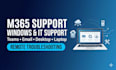
Are you facing an issue with Microsoft 365, Microsoft Teams, email, Windows, or your computer?
I provide structured remote technical support for desktop and laptop users. With more than five years of IT support experience, I will investigate your issue, explain the findings clearly, and help you reach an appropriate solution.
I can assist with:
Microsoft 365 and Office applications
Microsoft Teams issues
Exchange and email troubleshooting
Windows desktop and laptop problems
Software installation and configuration
Computer performance and startup issues
Printer and peripheral setup
User access and permission issues
General computer troubleshooting
Please contact me before ordering if the issue is complex or involves a business Microsoft 365 environment. Some solutions may require administrator access, licensing changes, replacement hardware, or assistance from your service provider.
Remote access will only be used when necessary and with your permission. Passwords and authentication codes should never be shared.
I look forward to helping you resolve your technical issue.

Device:
Desktop
•
Laptop
•
Printer
Operating system:
Windows
•
OSX
Can you guarantee that every issue will be fixed?
I will investigate the issue carefully and apply an appropriate solution where possible. However, some problems may require administrator access, licensing changes, replacement hardware, assistance from a service provider, or action by another system owner. Please contact me before ordering if you a
How will you access my computer remotely?
Remote access will only be used when necessary and with your permission. We will agree on an appropriate remote-support method through Fiverr. Please never share your password, authentication code, recovery code, or other sensitive credentials.
What information should I provide before you begin?
Please provide a clear description of the issue, the exact error message, screenshots where appropriate, the affected application or service, your operating system, when the issue started, and any troubleshooting already attempted. Do not include passwords or authentication codes.