Browse categories
English
$
USD
Connect to your AI
Every month, the same Excel routine starts again: download new files, fix inconsistent columns, remove duplicates, combine records and rebuild the reports.
You get the report finished, but next month, you have to do it all over again.
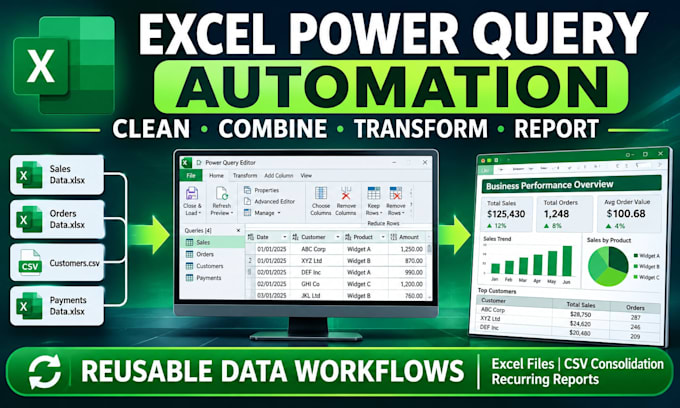
I build Excel Power Query automation that turns those repetitive steps into a reusable data-processing workflow.
Instead of cleaning your data once and handing it back, I create a system that remembers the transformation steps, so you can process new data by refreshing your queries rather than starting from scratch.
WHAT I CAN AUTOMATE:
WHAT A REUSABLE WORKFLOW LOOKS LIKE:
Imagine receiving 5 sales files from different branches every month.
Normally, you would open each file, correct the column formats, remove duplicate transactions, combine the records & rebuild your consolidated report.
I can build a Power Query workflow that handles those steps for you.
You are not paying for the same cleaning process every month. You're getting a process you can reuse.
Send me a sample of your raw Excel to get started.

Platform:
Excel
•
Power BI
•
Microsoft Office
Development technology:
VBA
•
Power Query
•
Excel
Expertise:
Pivot tables
•
Formulas
•
Power Query
•
Cleaning
•
Modeling
I receive the same report from different departments, but each file has a different layout. Can you combine them?
Yes. I can use Power Query to standardise column names, reorder fields, correct data types and consolidate the records. I'll first assess the differences between your files to determine how reliably they can be combined.
Can you make my monthly sales report update when I add another month's transactions?
Yes. I can create a query that imports and processes new transaction files from a designated folder. Once the next batch is added, you can refresh the workbook to update the consolidated dataset and connected reports, provided the source structure remains compatible.
My workbook has several cleaning steps that I repeat before every report. Can those exact steps be automated?
That's one of the main uses of Power Query. I can turn your existing process—removing duplicates, splitting columns, standardising dates, filtering records and merging tables—into reusable transformation steps.
Can you combine sales, inventory and payment exports without counting the same transaction twice?
Yes. I can design the consolidation logic around transaction IDs, reference numbers or other suitable matching fields to identify duplicates and prevent double-counting. I'll need sample files and your rules for identifying duplicate records.
What happens when a new file contains extra columns or missing information?
I can build appropriate handling for expected variations, such as missing optional columns, blank fields and additional records. Unexpected changes to the source structure may still require adjustments, so I'll assess your sample files before building the workflow.
