Browse categories
Explore
Fiverr Pro
English
$
USD


Stop letting "technical errors" delay your book launch and drain your profits.
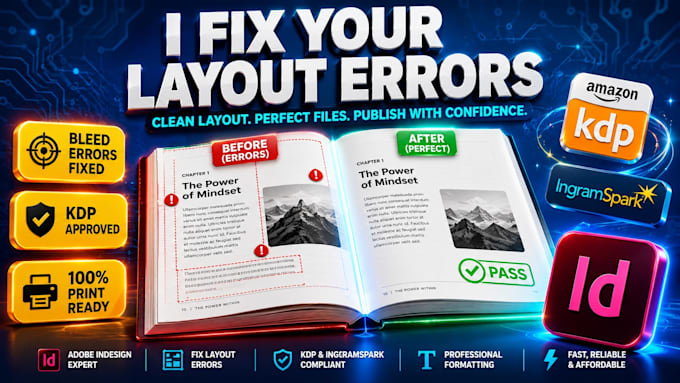
Rejection from KDP or IngramSpark is a nightmare. I'm here to fix Adobe InDesign layout errors and make your book print ready so you can finally hit publish with total confidence. Most designers just "format," but I provide a professional Fix Layout service that solves the deep technical issues amateurs miss.
Why authors trust my Adobe InDesign expertise:
I will FIX Adobe InDesign layout errors and make your book print ready by auditing every single page of your Book Layout. Don't risk a sloppy launch; get a KDP Print Ready file that looks flawless.
I'm easy to talk to and ready to save your project today. Let's get your Book Layout finished! Send me a message, and lets make your file Print Ready right now.
Meesage me before ordering.
Please inform the freelancer of any preferences or concerns regarding the use of AI tools in the completion and/or delivery of your order.
Turning Manuscripts Into Bestsellers
Languages
Why was my file rejected by KDP or IngramSpark?
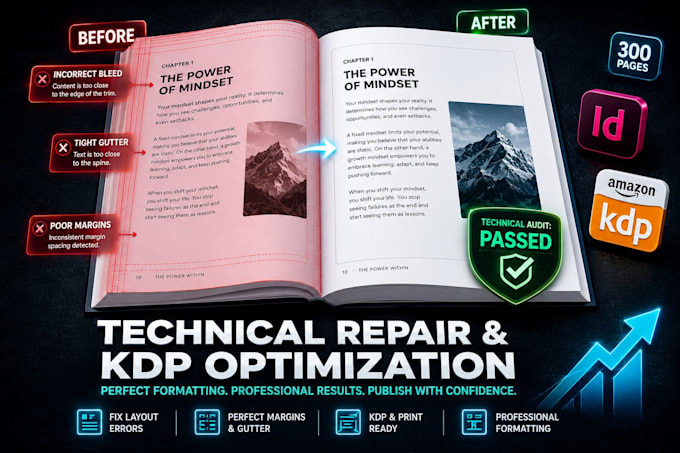
Most rejections happen due to Adobe InDesign layout errors like incorrect bleed settings, "live elements" inside the gutter, or low-resolution images. I specialize in a professional Fix Layout service that audits these technical requirements to ensure your book is 100% KDP Print Ready on first try.
Can you fix a "Transparency Flattener" or "Font Embedding" error?
Yes. These are common technical hurdles when making a book Print Ready. I use advanced Adobe InDesign preflight tools to embed all fonts and manage transparency profiles, ensuring your Book Layout prints exactly as intended without blurry text or missing graphics.
What is the difference between "Formatting" and "Fixing Layout Errors"?
Formatting is just making text look nice. My Fix Layout service goes deeper; I repair the underlying Adobe InDesign architecture—fixing master pages, solving orphan/widow issues, and adjusting margins—to turn a messy file into a professional Book Layout.
Do you work with PDF files or only InDesign files?
For the best results in making your book Print Ready, I prefer the Adobe InDesign (INDD or IDML) source file. However, if you only have a PDF with errors, I can often extract and rebuild the Book Layout to meet KDP Print Ready standards.
How do you ensure the book spine is the correct width?
Spine width is a common Fix Layout request. I calculate the exact spine thickness based on your final page count and paper type (cream vs. white). I then adjust your Adobe InDesign cover template so it wraps perfectly without cutting off your title.
Can you fix "Bleed Errors" in my interior layout?
Absolutely. If your images don't reach the very edge of the page, printers will reject them. I will fix Adobe InDesign layout errors by extending your backgrounds and images into the bleed zone, ensuring a flawless KDP Print Ready delivery.
Will my book look like a "Big Five" published book?
Yes. High-end Book Layout is about more than just fixing errors; it’s about professional "Kerning," "Leading," and "Baseline Grids." By using Adobe InDesign, I give your book the polished, authoritative look of a traditionally published bestseller.
Is your service compatible with IngramSpark’s strict requirements?
IngramSpark is often stricter than KDP. I am an expert in creating Print Ready files that pass the IngramSpark automated check. I handle the specific PDF/X-1a or PDF/X-3 standards required for professional distribution.
Can you fix a Book Layout that was originally made in Word or Canva?
Yes. Many authors start in Word/Canva and realize it’s not Print Ready. I can migrate your content into Adobe InDesign to fix layout issues that these basic tools simply cannot handle, such as complex gutter margins and professional image wrapping.
What do I receive at the end of the project?
You will receive a 100% KDP Print Ready PDF (high-resolution, CMYK, with all fonts embedded). Depending on your package, I also provide the updated Adobe InDesign source files so your Book Layout is future-proofed for any future edits.