Browse categories
Explore
Fiverr Pro
English
$
USD

Business Automation, Custom CRM, Google Workspace, and AI systems
Evenops was selected by the Fiverr Pro team for their expertise.
Vetted for
Data Engineering
Vetted Pro
Data that arrives by email, form, or export, landing clean and on schedule where your team already works, in your own Google account.
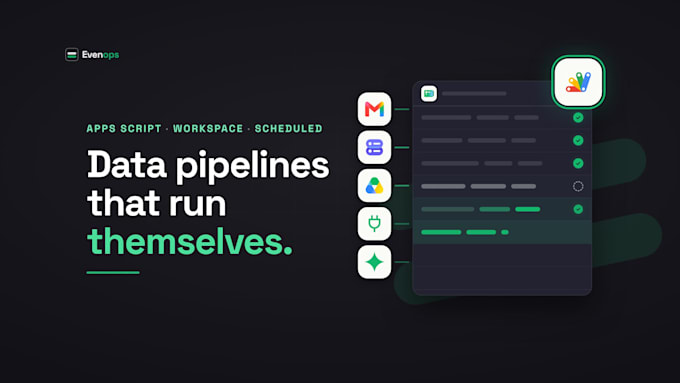
We build Google Apps Script pipelines that run your recurring data work without anyone watching: pull attachments from Gmail, read Forms and Drive files, call an API, clean and check the rows, and land them in Sheets or BigQuery on a timer.
Every pipeline ships with:
- Checks: required fields, duplicates, your own rules, and an exceptions tab for anything that needs a person
- A run log: what ran, what it read, what it wrote, why it stopped
- An alert to a named person when something needs a decision
- Source code in your Google account, documented, no monthly tool fee
How we work:
1. Scope: we map the workflow with the person who does it today and agree what done looks like
2. Build: working increments you can try in your own Sheets as they land
3. Run: on a schedule, with monitoring, a runbook, and a support window
Evenops is automation studio doing data work on Google Workspace since 2019. You own the code outright.
Message us with two lines about the data and where it needs to go. We will tell you honestly what it takes.


Tools & Platforms:
Other
Why Apps Script instead of Zapier or Make?
It runs inside your Google Workspace with no per-task fee and no third party holding your workflow. You own the code. For Workspace-centred data work it is usually faster to build and cheaper to run for years.
What are the limits of Apps Script?
Each run is capped at about six minutes and there are daily quotas on external calls and email. We design around that with batching and timed triggers. It suits hourly and daily pipelines at SMB volumes, not real-time streams. When data outgrows a spreadsheet, Premium moves storage to BigQuery.
Do I need to buy anything?
No. A Google Workspace account is enough. BigQuery and Looker Studio, if used, run on your own Google Cloud billing, usually a few dollars a month at these volumes. The AI parsing add-on runs on your own API key.
Can it read PDFs and messy emails?
Yes, with the AI parsing add-on. A model reads the document into structured rows, each with a confidence score, and low-confidence rows go to a review tab for a person to approve before they land.
What do I receive at handover?
The script in your Google account, a scope document, a plain-English guide to how it runs and what to do when it alerts you, and a support window after delivery.
Should I message before ordering?
Yes. Two lines about the data and where it needs to go gets you an honest scope and the right package.
What access do you need?
Editor access to the destination Sheet, or a Workspace account you create for the pipeline. We never ask for your personal Google password, and we are happy to sign an NDA before you share anything.