Browse categories
Explore
Fiverr Pro
English
$
USD
Is your business data scattered across spreadsheets, documents, and multiple tools?
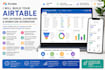
I will build a custom Airtable system to organize your clients, projects, leads, tasks, inventory, and business data in one place.
My Airtable Services Include:
Whether you need a CRM, client database, project tracker, inventory system, dashboard, or automated workflow, Ill create an Airtable setup tailored to your needs.
Save time, stay organized, reduce repetitive tasks, and manage your business more efficiently.
Place your order today and lets build your Airtable system!


Industry:
Business services & consulting
Software:
Airtable
1. What do you need from me to get started?
I’ll need access to your Airtable workspace, your business details, and a clear idea of what you want to manage.
2. Can you build an Airtable system from scratch?
Yes. I can create your database, tables, fields, views, forms, dashboards, and workflows from the beginning.
3. Can you build an Airtable CRM?
Yes. I can build a customized CRM for managing leads, clients, contacts, projects, and follow-ups.
4. Can you automate my Airtable workflow?
Yes. I can set up automations to reduce repetitive tasks and keep your workflow organized.
5. Can you create dashboards and interfaces?
Yes. I can create customized dashboards and interfaces to make your business data easier to view and manage.
6. Can you organize my existing Airtable data?
Yes. I can clean, organize, restructure, and improve your existing Airtable base.
7. Can you build Airtable for my specific business?
Yes. I can customize the system around your business needs, processes, and goals.
8. Will you explain how to use the Airtable system?
Yes. I can provide a basic walkthrough so you understand how to use and manage your new Airtable system.


