Browse categories
Explore
Fiverr Pro
English
$
USD
Professional OBS Setup For Seamless Live Streaming
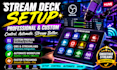
Stream Deck setup feeling complicated or not working smoothly with your streaming workflow? Get a professional configuration designed to make your broadcasts faster, cleaner, and easier to control.
This service helps streamers, gamers, and content creators transform their Elgato Stream Deck into a powerful control system for OBS Studio, Streamlabs OBS, Twitch, YouTube streaming, and live streaming setups.
No more wasted time searching for buttons, fixing workflow issues, or managing complicated scenes manually. Your setup will be organized for smoother performance, faster controls, and a more professional streaming experience.
What you get:
Perfect for creators who want a reliable stream setup with better control, improved workflow, and a professional broadcasting experience.

Software:
OBS Studio
Platform:
Twitch
•
YouTube
•
Mixer
•
Kick
Purpose:
Gaming
•
Music
•
Streamshare
•
Webinar
What do you need from me to set up my Stream Deck?
I’ll need your Stream Deck model, streaming platform, software details (OBS, Streamlabs, etc.), and your workflow goals. This helps create a setup that fits your exact needs.
Can you set up my Stream Deck for OBS and live streaming?
Yes. I can configure Stream Deck controls for OBS Studio, Streamlabs OBS, Twitch, YouTube, and other streaming workflows for faster and smoother control.
I already have a Stream Deck. Can you improve my current setup?
Yes. Existing setups can be reorganized and optimized with better profiles, buttons, hotkeys, scenes, and workflow improvements for a cleaner experience.
How long does the Stream Deck setup take?
Most setups are completed within the selected delivery time. More advanced workflows with automation and multiple integrations may require additional configuration time.
Can you create custom Stream Deck profiles and automation?
Yes. Custom profiles, shortcuts, scene controls, productivity workflows, and automation can be created to make your streaming process faster and more efficient.
Do you support Stream Deck with audio tools like GoXLR?
Yes. Stream Deck can be configured with audio workflows, including GoXLR controls, streaming audio management, and other creator setups.
Can you help after the setup is completed?
Yes. Support is available for adjustments, troubleshooting, and improving your workflow as your streaming setup grows. Advanced OBS setups and additional integrations can also be configured when needed.
