Browse categories
Explore
Fiverr Pro
English
$
USD
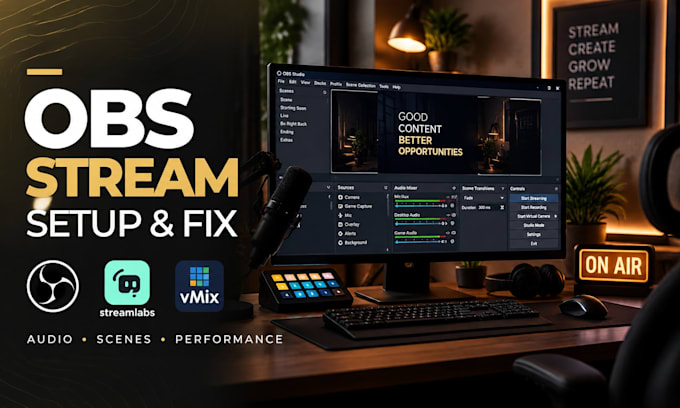
Professional OBS Setup For Seamless Live Streaming
Struggling with OBS Studio, Streamlabs, or vMix issues that stop you from creating a professional live stream?
You're in the right place.
I help streamers, creators, and brands build, fix, and optimize reliable streaming setups with smooth performance, clean visuals, and professional audio.
I specialize in OBS Studio setup, troubleshooting, and optimization for Twitch, YouTube, Kick, TikTok LIVE, Facebook Live, podcasts, and other platforms.
This service includes:
Whether you are starting a channel or improving an existing setup, I will review your workflow, solve technical issues, and configure everything correctly so you can focus on creating content instead of fighting settings.
I work with gamers, creators, and podcasters who need a stable broadcasting system. Send your setup details and lets create streaming workflow built for your goals.

Software:
OBS Studio
Platform:
•
Twitch
•
YouTube
•
Mixer
•
DLive
•
Smashcast
•
Kick
•
Other
Purpose:
Gaming
•
Music
•
Lifestyle
•
Business
•
Streamshare
•
Webinar
1. Can you fix my existing OBS setup or do I need to start over?
Yes, I can work with your current OBS setup and improve what you already have. I will review your scenes, sources, settings, audio, and performance issues, then make the necessary adjustments without rebuilding everything unless required.
2. Do you support Twitch, YouTube, Kick, TikTok LIVE and Facebook Live?
Yes, I can help configure OBS and streaming workflows for multiple platforms, including Twitch, YouTube, Kick, TikTok LIVE, and Facebook Live. I will adjust the setup based on your platform requirements, stream quality goals, and available hardware.
3. Can you help if my stream has lag, dropped frames, or bad quality?
Absolutely. I can troubleshoot common streaming problems such as encoder overload, bitrate issues, FPS drops, unstable settings, and hardware limitations. I will optimize your OBS settings based on your PC specifications and internet connection.
4. Can you setup my microphone, game audio, Discord, and music correctly?
Yes. Audio routing is one of my specialties. I can help organize your microphone, game sound, Discord, music, alerts, and other sources so your stream sounds clean and professional without unwanted mixing problems.
5. Do I need to have OBS or Streamlabs installed before ordering?
It is recommended, but not required. If you already have the software installed, I can begin immediately. If not, I can guide you through installation and help configure the complete streaming workflow from the beginning.
6. Do you provide remote setup assistance?
Yes, I provide remote assistance where we connect safely and configure your setup together. This allows me to diagnose real issues, adjust settings correctly, and test your complete streaming workflow before you go live.
