Browse categories
Explore
Fiverr Pro
English
$
USD
The Accessibility Guy Your personal accessibility expert
Level 2
Has met high performance criteria and has a proven track record for meeting client expectations.
Highly Responsive
Known for exceptionally quick replies
Accessibility should start at the design stage - not after launch. I review your Figma, Adobe XD, or Sketch files using a shift-left approach to catch issues early, helping you avoid costly rework, reduce compliance risks, and ship inclusive products from the start.
Studies show up to 50% of accessibility barriers can be fixed in design. I help you address them before coding begins.
My review has two phases:
I also help teams build accessible-first design systems with reusable components and acceptance criteria.
Contact me before ordering. Pricing varies by complexity, structure, and volume.
You'll get:
Lets make your designs accessible!



What is shift-left accessibility, and why does it matter?
Shift-left accessibility means testing designs early—before code. Up to 50% of barriers can be fixed in design. This saves time, reduces rework, and ensures your designs are usable, compliant, and ready for accessible development.
What design tools do you support?
I review Figma, Adobe XD, and Sketch files. I leave comments directly in your file and can provide an optional Loom walkthrough. For larger systems, I help structure accessible components and document design rules clearly with annotations.
What’s the difference between the visual check and full annotation?
The visual check flags immediate visual issues (like contrast or focus states). Annotations go deeper, providing semantic guidance, labels, and behavior notes for devs. I recommend both for accessible design-to-dev handoff.
What standards do you work against?
I test against WCAG 2.0, 2.1 or 2.2 (Level A and AA), ADA Title III (U.S.), Section 508 (federal compliance), AODA (Canada), and the European Accessibility Act (EAA). I tailor the scope to your legal, regional, and organizational compliance needs.
What do all these standards stand for?
WCAG = Web Content Accessibility Guidelines ADA = Americans with Disabilities Act 508 = Section 508 (US federal) EAA = European Accessibility Act EN 301 549 = EU accessibility procurement requirements AODA = Accessibility for Ontarians with Disabilities Act
What do all of these accessibility acronyms mean?
A11y = Accessibility (11 letters between a and y) ARIA = Accessible Rich Internet Applications VPAT = Voluntary Product Accessibility Template ACR = Accessibility Conformance Report ICT = Information and Communications Technology POUR = Perceivable, Operable, Understandable, Robust (WCAG principles)
How are you different from other sellers?
Consider me your accessibility partner. I'm US-based and support the full accessibility lifecycle, from audit to implementation. I’ve worked with agencies, SaaS, B2B, and top accessibility vendors to help them deliver with clarity.
| (1) | ||
| (0) | ||
| (0) | ||
| (0) | ||
| (0) |

juliamcdowell

United States
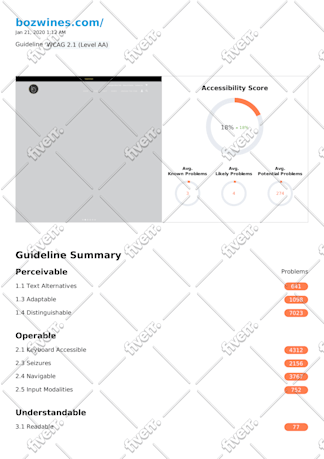
Thorough and helpful assessment for an entire site. Quick to reply and work was done on time!
$200-$400
Price
| (1) | ||
| (0) | ||
| (0) | ||
| (0) | ||
| (0) |
juliamcdowell
United States
Thorough and helpful assessment for an entire site. Quick to reply and work was done on time!
$200-$400
Price


