Browse categories
Explore
Fiverr Pro
English
$
USD
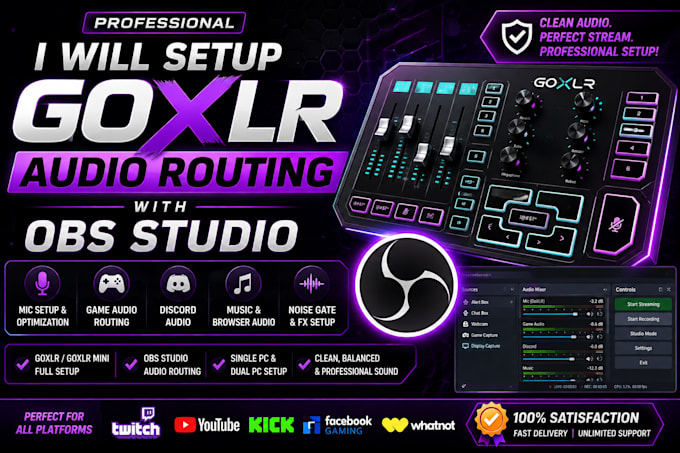
Are you struggling with GoXLR audio routing, microphone settings, Discord audio, game sound, music channels, or OBS Studio?
I will professionally configure your GoXLR and OBS Studio to deliver clean, balanced, and reliable audio for streaming, recording, or content creation.
Whether you're using a single PC or a dual PC streaming setup, I'll ensure every audio source is routed correctly so your audience hears exactly what you intend.
What I can set up
GoXLR Full Setup
GoXLR Mini Setup
OBS Studio Audio Routing
Streamlabs OBS Audio Configuration
Microphone Setup & Gain Optimization
Noise Gate, Compressor & Limiter
Discord Audio Routing
Game Audio Routing
Browser & Alert Audio
Spotify / Music Channel Routing
Separate Audio Tracks for Recording
Twitch VOD Music Separation
Dual PC Streaming Audio
Console Audio (PS5 / Xbox) Integration
Elgato Capture Card Audio
Audio Sync & Delay Correction
Echo, Static & Audio Loop Fixes
Audio Quality Optimization
Why choose me?
Fast Delivery
Remote Setup & Configuration
Professional Audio Routing
Clean OBS Scene Configuration
Beginner-Friendly Guidance
Compatible with Twitch, YouTube, Kick, Facebook Gaming & Whatnot
Order now
Software:
OBS Studio
Platform:
•
Twitch
•
YouTube
•
Kick
•
Other
Purpose:
Gaming
•
Music
•
Business
•
News
•
Streamshare
•
Webinar
Do you support GoXLR Mini?
Yes. I support both the GoXLR and GoXLR Mini.
Can you configure dual PC streaming?
Absolutely. I can set up audio routing for gaming and streaming PCs.
Can you fix audio echo, static, or missing sound?
Yes. I troubleshoot routing issues, echo, sync problems, and audio quality
Do you support Whatnot streamers?
Yes. I can configure GoXLR and OBS for Whatnot vertical streaming, along with Twitch, YouTube, Kick, and Facebook Gaming.
Do you use remote access?
Yes. With your permission, I can configure everything remotely using TeamViewer or AnyDesk.
