Browse categories
Explore
Fiverr Pro
English
$
USD
Power BI Expert, DAX, Dashboard Design and Row Level Security
Can people in your company see Power BI data they shouldn't?
Salaries, regional sales or client data in front of the wrong people is a privacy risk. So is emailing separate report copies to every team. It's slow, easy to get wrong and hard to track.
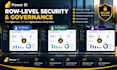
I set up Power BI security so one report shows each user only the data they're allowed to see.
WHAT YOU GET:
WHY CHOOSE ME:
WHAT THIS DOESN'T COVER:
RLS controls what users see in reports. It doesn't replace your legal or compliance review. Workspace Admins, Members and Contributors bypass RLS, and I'll flag anyone at risk.
Tell me how your data should be split and how many users you have, and I'll recommend a package.

Static or dynamic RLS: which do I need?
Static suits a few fixed groups. Dynamic suits many users or territories that change often. I'll recommend one after you message me.
Do you need admin access?
For Standard and Premium, yes, but only to the workspace involved. You can remove my access after delivery.
My data is sensitive. How do you handle it?
I can build and test the roles on a copy with dummy data, and you apply it to the live report.
Will users notice anything different?
No. They open the same report and simply see only their data.
What happens when staff change?
You update one user table, and access updates automatically on dynamic RLS.


