Browse categories
English
$
USD
Connect to your AI

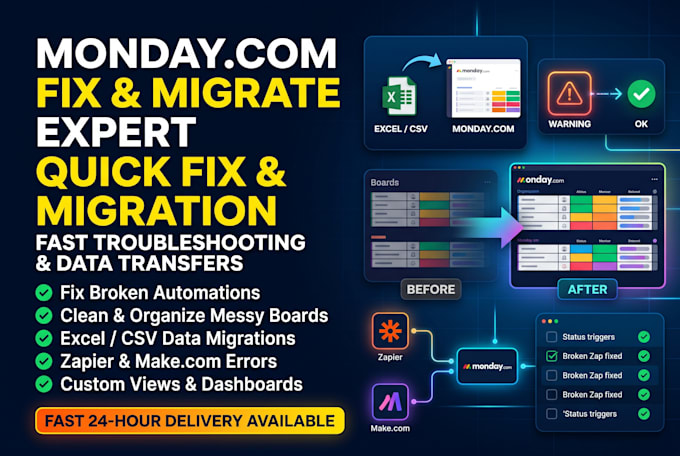

Have a broken monday.com automation, messy boards your team hates using, or a massive Excel spreadsheet you need imported cleanly?
You don't need an expensive agencyyou just need a fast, reliable monday com expert to fix the bottleneck today. I specialize in quick-turnaround monday cleanup, troubleshooting failing rules, and stress-free Excel to monday migrations.
What I Can Fix or Build in 2448 Hours:
Fix Broken Automations: Repair failing native rules, Zapier Zaps, Make.com scenarios & duplicate triggers
Excel / CSV Data Migration: Clean messy spreadsheets and import rows, dates & statuses with zero data loss
Board & Workspace Cleanup: Reorganize cluttered columns, fix user permissions & speed up slow boards
Quick Dashboard & View Setup: Build clean Kanban, Gantt, Workload, or summary reporting views
Why Order From Me?
Fast 2448 hour delivery
Clear Loom video showing everything I fixed
100% satisfaction before closing
Message me your issue now for a fast fix!
Monday com Expert or AI Consultant, CRM and Workflow Automation
Languages
How fast can you fix my broken monday.com automation or Zapier/Make workflow?
Most single automation errors, duplicate trigger issues, or broken Zapier/Make scenarios are diagnosed and fixed within 24 hours under my Basic package. Message me first if it is an emergency!
Will migrating my Excel or CSV spreadsheet overwrite my existing monday.com data?
No. Before importing anything, I clean your spreadsheet formatting, test the mapping on a sample batch, and ensure all dates, statuses, and numbers import cleanly without disrupting your live boards.
Why are my monday.com automations failing or creating duplicate items?
Common causes include mismatched column IDs, looping status triggers, expired app connections, or hitting monthly automation/API limits. I audit your rule logs, fix the root cause, and add filters to stop duplicates.
Can you clean up a messy workspace without breaking our current workflows?
Yes! I carefully audit connected boards, mirrored columns, and active automations before reorganizing folders, archiving unused columns, and fixing permissions so your team keeps working smoothly.
Which monday.com plan do I need for automations and integrations?
Native monday automation and third-party integrations (Zapier/Make) require at least the Standard plan. If you are on the Free or Basic plan, message me before ordering and I will advise on the best workaround.
How do I give you safe access to my monday.com account?
You simply invite my email address as an Admin or Member in your monday.com workspace settings. You keep full ownership of your account and can remove my access as soon as the fix is complete.
Will you explain what you fixed so I can manage it myself later?
Yes! Every order includes a brief, clear Loom screen-recording walkthrough showing what caused the issue, how I fixed it, and how your updated boards or migrations work.
What if I have multiple issues or more than 2,000 rows of data to migrate?
Click "Contact Me" and share a quick summary of your workspace or spreadsheet size. I will review it immediately and send a custom offer tailored to your exact scope.
