Browse categories
Explore
Fiverr Pro
English
$
USD
Custom Excel and Google Sheets Business Systems Specialist
Level 1
Has met certain performance criteria and shows strong potential in the marketplace.
You shouldn't need to be the automation between your Excel sheets.
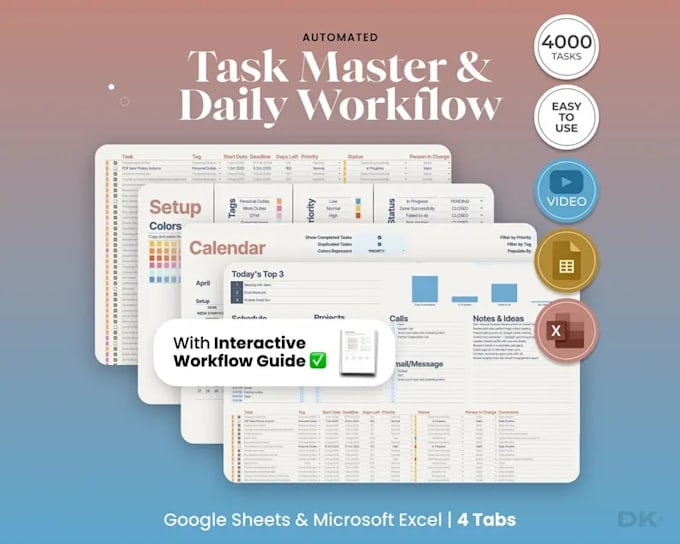
I create automated Excel spreadsheets using VBA macros, formulas and reporting logic to turn repetitive Excel work into a workflow that updates itself.
If you're manually copying data between sheets, repeating calculations, updating formulas, or rebuilding the same report every week, I'll build the automation into your workbook so the process takes fewer manual steps.
For example:
Enter data once - VBA processes it - formulas calculate - related sheets update - report refreshes.
Depending on your workflow, this can include VBA macros and buttons, automated formulas, data validation, linked worksheets, data processing, calculations, summaries and automated reports.
I can automate an existing Excel workbook or build the spreadsheet around the process you currently manage manually.
You don't need another spreadsheet that simply stores your data. You need an Excel spreadsheet that does the work.
Send me your workbook or describe the process you want automated.

Technology:
Excel
•
Google Sheets
•
VBA
Can you automate a spreadsheet that was built by someone else?
Yes. I can work with existing Excel files, including workbooks with multiple sheets, complicated formulas, and existing macros. I’ll review the current setup before changing the workflow.
Can you work with Excel 2016 or older desktop versions?
Yes. Tell me your Excel version before ordering so I can build the solution around the features available in your version.
What if my current Excel process works, but it takes too long to maintain?
That is exactly the kind of workflow I can restructure. I’ll look at where the repeated manual steps occur and automate the parts that are creating unnecessary work instead of rebuilding the entire workbook without a reason.
What if my workbook already contains formulas and macros that I don't want to lose?
I can work around the existing logic where possible. Existing formulas, macros, references, and dependencies are reviewed before changes are made so the automation doesn't simply fix one part while breaking another.
What if the automation needs to follow rules specific to my business?
That's fine. The automation can be built around your actual rules - for example, how totals are calculated, how records are categorized, when a value should trigger an action, or what should appear in a report.
Can you automate a process that currently involves several separate Excel files?
If the files and workflow are compatible with the required Excel setup, they can often be connected or consolidated so information does not have to be manually moved between them.
What if one piece of information needs to update several parts of the workbook?
That can be built into the workflow. Instead of entering the same information repeatedly, the workbook can be structured so one input drives the related calculations, records, summaries, or reports that depend on it.
