Browse categories
Explore
Fiverr Pro
English
$
USD



Turn structured Excel or CSV data into consistent, ready-to-use PDF documents without copying every value by hand.
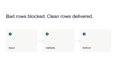
I build a focused document workflow for certificates, confirmations, letters, simple reports, and other repeatable business documents. Your system can validate required fields, block invalid rows, create clearly named PDFs, and record errors so they can be corrected instead of overlooked.
You receive:
a workflow built around one agreed input structure
your approved PDF layout and field mapping
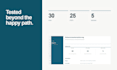
validation and an understandable error log
a short operating guide
a tested delivery for the agreed Windows environment
The scope is defined before development. OCR, scanned-document extraction, complex dynamic tables, ERP integrations, public web apps, and repairs to unknown existing software are not included unless agreed in a custom offer.
Please message me before ordering Standard or Premium. Send an anonymized sample input, the desired document layout, and one example of the expected result. I will confirm the correct package and scope first.
Document and Spreadsheet Automation
Languages
Can you work with confidential data?
Please send anonymized sample data during scoping. Real personal data is usually not required for development. We will agree on the safest practical handover before any sensitive files are shared.
Do I need special software?
The standard delivery is designed for an agreed Windows environment. The exact requirements are confirmed before development. No cloud subscription is included unless explicitly agreed.
Can you copy my existing PDF design?
Yes, if you own or are authorized to use the design and it fits the selected package. Complex dynamic tables, editable PDF forms, signatures, and multi-layout documents may require a custom offer.
What counts as a field?
A field is one mapped value such as name, date, document number, location, course title, or duration. Calculated or conditionally displayed content may require additional scope.
What happens when a row contains an error?
Agreed validation rules can block the affected row and record the reason in an error log. Valid rows can still be processed.
Can the workflow use Google Sheets directly?
This Gig covers Excel or CSV input. A Google Sheets connection can be assessed separately and quoted as a custom integration.


