Browse categories
Explore
Fiverr Pro
English
$
USD
Livestream Setup Expert OBS Studio, Whatnot and GoXLR
Selling on Whatnot should feel smooth & professional, not like you're fighting with OBS, cameras, audio, or confusing stream settings.
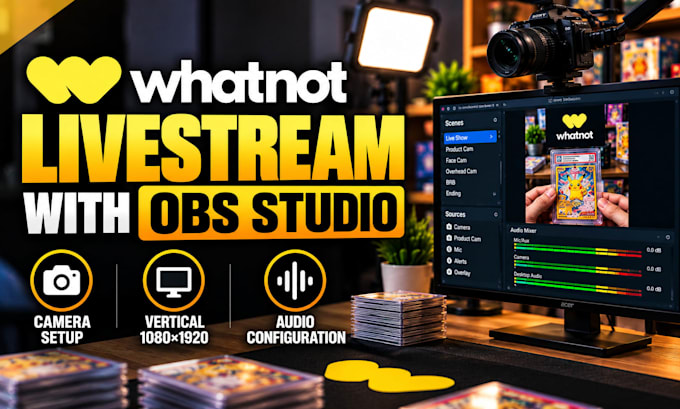
I help Whatnot sellers build livestream setups with OBS Studio for auctions, card breaks, collectibles, fashion, and live-selling formats.
I can configure:
Your setup is built around your equipment, PC and internet connection, and selling workflow rather than generic settings.
Already have OBS? I can optimize or troubleshoot it. Starting from scratch? I can build the workflow with you and test it before you go live!
Whether you sell trading cards, collectibles, fashion, or other products, the goal is a stable stream, clear product presentation, balanced audio, and scene control.
Send me your setup and what you sell, and let's get your Whatnot livestream ready!
Software:
OBS Studio
Platform:
•
Twitch
•
YouTube
•
Mixer
•
Kick
Purpose:
Gaming
•
Music
•
Lifestyle
•
Business
•
News
•
Streamshare
•
Webinar
1. Can you set up my Whatnot livestream from scratch?
Yes. I can build the Whatnot and OBS workflow from the beginning, including the vertical canvas, scenes, sources, camera, microphone, stream settings, and testing. I will configure the setup around your equipment and selling workflow so you are ready to go live.
2. Can you configure OBS specifically for Whatnot?
Yes. I can configure OBS Studio for Whatnot vertical streaming, including resolution, FPS, bitrate, encoder, scenes, sources, cameras, and audio. I will match the settings to your PC, internet connection, equipment, and the type of live-selling content you create.
3.Can you set up multiple cameras for my Whatnot show?
Yes. I can configure a face camera, overhead product camera, secondary angle, or other compatible cameras. I can organize the sources and scenes so you can switch views smoothly while keeping your products visible and your presentation easy for buyers to follow.
4.Can you fix audio problems on my Whatnot stream?
Yes. I can troubleshoot microphone, desktop, game, music, Discord, and other audio sources in your OBS workflow. I can correct missing, duplicated, delayed, or unbalanced audio and test the routing so your Whatnot broadcast sounds clear and controlled.
5. Can you fix poor quality or dropped frames on Whatnot?
Yes. I can review your OBS output, encoder, bitrate, FPS, resolution, and performance settings to identify common causes of blurry video, dropped frames, or instability. I will optimize the configuration around your PC and connection instead of using generic settings.
6. Can you set up card breaks, auctions, or product-selling scenes?
Yes. I can configure OBS scenes and sources for auctions, card breaks, collectibles, fashion, and other live-selling formats. I can organize product views, cameras, existing overlays, and information elements so your show is easier to manage while you sell.
7. Can you optimize an existing Whatnot OBS setup?
Absolutely. If your current Whatnot and OBS setup already works but needs improvement, I can review the existing configuration, keep what is useful, fix problems, and optimize the workflow. This is ideal when you want better quality without rebuilding everything from scratch.
